
Key Takeaway
HubSpot Ads connects your CRM directly to Meta, Google, and LinkedIn, enabling 3x better attribution through deal-based ROAS measurement. B2B teams sync website visitors and contact segments for precision retargeting, but must maintain UK GDPR compliance with proper cookie consent and legal basis.
What HubSpot Ads Does (and Why B2B Teams Need It)
HubSpot Ads is a native advertising layer inside your HubSpot portal. Instead of managing ad accounts separately in Meta Business Manager or Google Ads, you sync your CRM audiences directly—meaning your website visitors, contact segments, and company segments flow straight into your ad platforms with zero manual uploads.
For B2B teams, this solves a core problem: traditional PPC platforms measure success on last-click conversions (form fills, page views). HubSpot Ads measures on what actually matters—deals closed and pipeline created. You see which ad audiences drive your highest-value accounts, not just which ones clicked an ad.
In practice, this means you can retarget a contact who visited your pricing page three weeks ago, watch them move through your HubSpot pipeline in real time, and measure the ad's impact on that specific deal. That's true CRM-powered marketing.
Connecting Ad Accounts: The First Step
Before you can sync audiences, you need to connect your ad platforms to HubSpot. The process is straightforward but requires admin access in both systems.
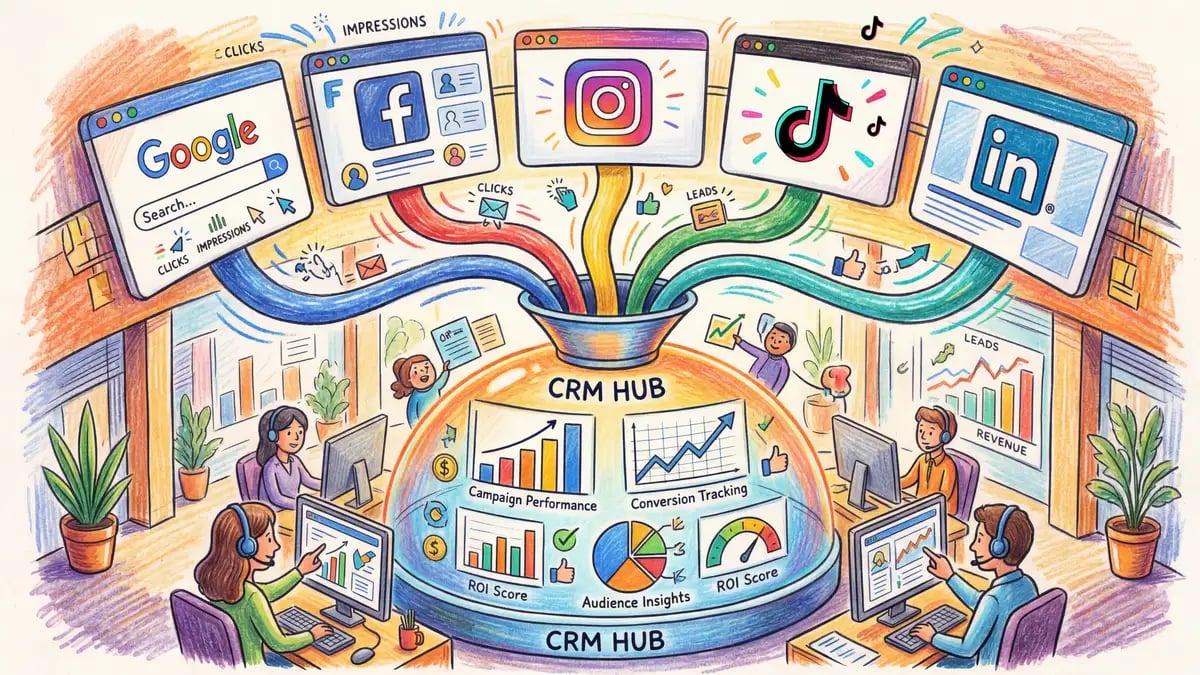
From your HubSpot portal, navigate to Tools > Ads. Click "Connect an ad account" and select your platform: Meta Ads Manager, Google Ads, or LinkedIn Campaign Manager. HubSpot will prompt you to log in via OAuth—this grants HubSpot permission to create and manage audiences in your ad accounts, not to charge your cards or change bidding strategies. Once connected, HubSpot automatically tracks pixel data from your website, attributing visits back to the contact record.
A critical note for UK-based agencies: 70% of UK websites now require explicit cookie consent (ICO enforcement). HubSpot's pixel fires only after users consent to analytics cookies. If your consent banner isn't configured correctly, HubSpot won't see the visit. We'll cover compliance in detail below.
Tracking, Pixels, and UK GDPR Compliance
HubSpot's tracking pixel works like Meta's Pixel or Google Tag Manager: it captures anonymous visits to your website and attributes them to HubSpot contacts once they identify (via form, email, chat, etc.). The pixel respects consent settings—if a user hasn't consented to analytics cookies, the pixel doesn't fire.
For UK compliance, you need three things: (1) a valid legal basis under UK GDPR (typically legitimate interest or consent), (2) a clear privacy policy stating you process ads data, and (3) a functional cookie consent banner that lets users opt out of analytics. HubSpot's forms and landing pages include a built-in consent mechanism, but your main website needs a third-party consent manager (OneTrust, Termly, etc.) if you're not already using one.
Common mistake: agencies assume HubSpot's pixel is "safe" because HubSpot is enterprise software. In reality, it's no different from Meta's pixel in terms of data collection—it requires the same legal basis and consent. The difference is HubSpot links pixel data to your CRM, which is more powerful but also more sensitive under GDPR.
Best practice: add a privacy notice to your ads saying "We use website pixel data to deliver personalized ads based on your interests." Pair this with a clear opt-out link (user settings or consent preferences). Most UK agencies skip this, but the ICO notices have become more aggressive in 2025.
Building CRM-Powered Audiences
Once your ad account is connected and your pixel is tracking, you can build audiences directly from your HubSpot data. This is where the real magic happens.
In HubSpot, go to Ads > Audiences and create a new audience. You'll see three audience types:
Website Visitors
Contacts who landed on any page, a specific page, or a page matching certain keywords. Useful for broad awareness and retargeting past interest.
Contact Segments
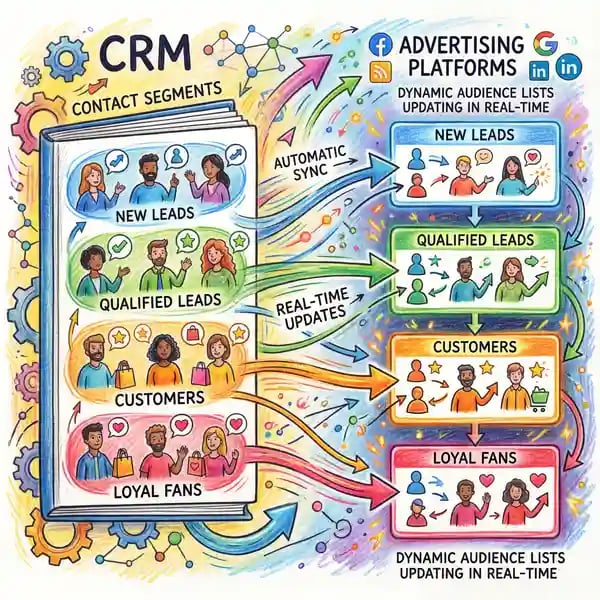
Any segment from your Contacts view—active deals, booked demos, lifecycle stage, lead score, etc. Power users segment by persona, intent signals, or custom properties.
Company Segments (ABM)
Segment by company properties: industry, employee count, revenue, or custom ABM lists. Sync to LinkedIn and Meta for account-based retargeting.
Once you've defined your audience, HubSpot syncs it to your ad account in real time. Any new contact matching your segment criteria is automatically added to the audience. On Meta, they appear as Custom Audiences; on Google, as Customer Match lists; on LinkedIn, as Company/Audience segments.
Building Your B2B Retargeting Framework
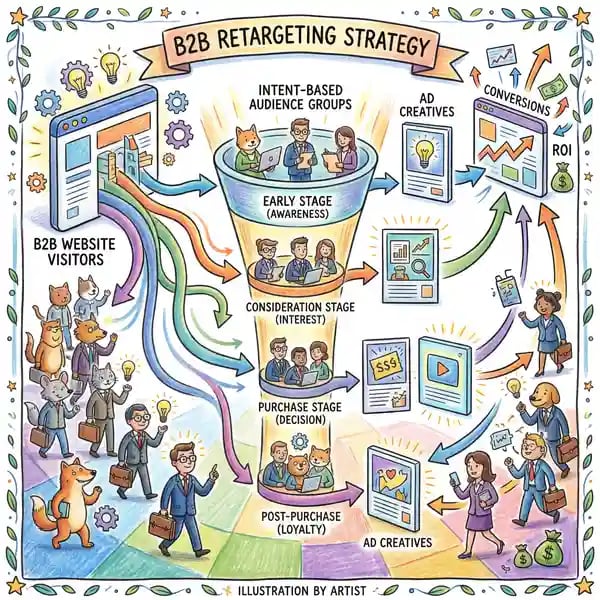
Retargeting in B2B is different from e-commerce. You're not selling a product in a single session—you're nurturing accounts over weeks or months. The best B2B retargeting uses segmentation and message matching by intent stage.
Bottom funnel (high intent): Contacts who've visited your pricing page, demo page, or case studies in the last 14 days. Message: comparison, ROI, social proof. Bid higher—these are close.
Mid funnel (active interest): Contacts who've visited your blog, resource library, or product pages but haven't visited pricing yet. Message: education, industry trends, thought leadership. Bid medium.
Top funnel (awareness): Contacts who've visited your site once but haven't engaged further. Message: brand awareness, problem-focused content, webinar invites. Bid lower—these are early-stage.
Set a frequency cap (3–5 impressions per contact per week) to avoid ad fatigue. Monitor ROAS weekly—if a segment is underperforming after two weeks, pause it and shift budget to your best performers.
The Cost of Getting It Wrong
Common mistake: Syncing your entire contact list to Meta and Google. This creates poor audience quality, wasted ad spend, and skews your ROAS metrics.
The reality: Retargeting works best on warm audiences (people who've already engaged with you). Cold lists dilute your messaging and drive up cost-per-acquisition. Stick to website visitors, MQLs, and recent opportunities—typically 5–15% of your total contacts.
Measuring ROAS: Beyond Last-Click
Traditional PPC platforms measure success on conversions (form fills, page views). HubSpot measures on what matters: deal value and pipeline created.
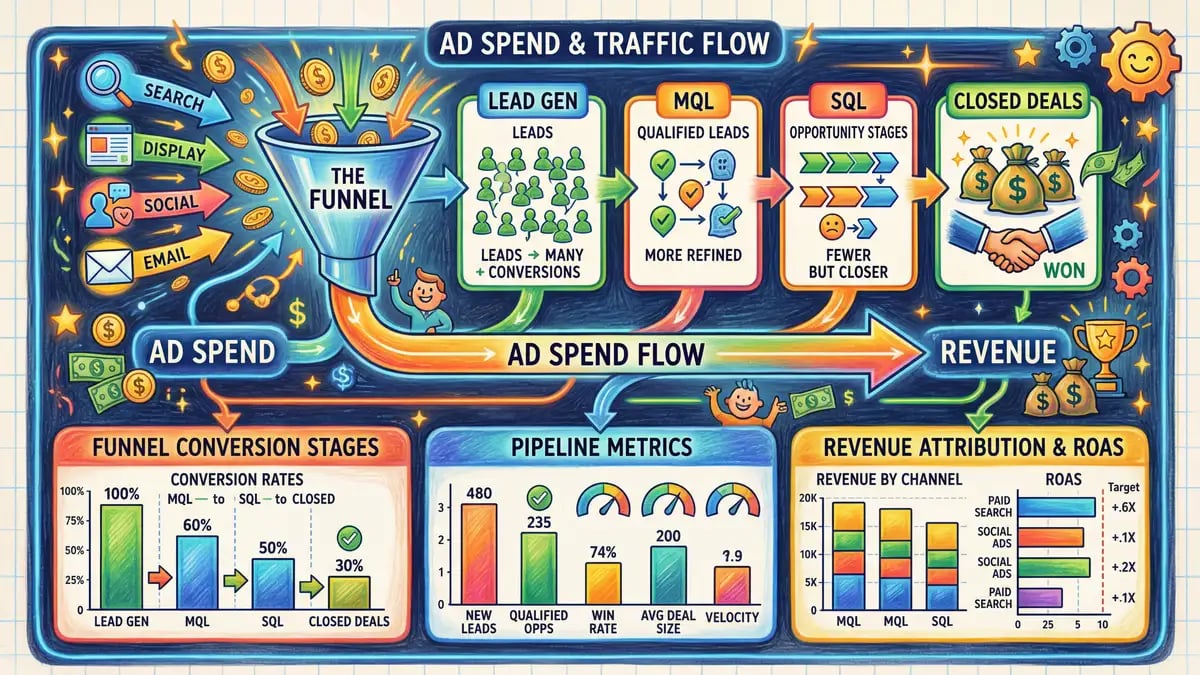
Once you've connected your ad account, HubSpot automatically tracks which ads drove which contacts, then maps those contacts through your pipeline. You can see: contact visited website from Ad A → moved to MQL → converted to opportunity → won as deal worth £50k. ROAS = £50k / (£2k ad spend) = 25:1.
You'll find ROAS reporting in Ads > Performance. Filter by date range, ad account, campaign, or audience. Export the table for stakeholder reporting. Most B2B teams see 22% average conversion lift on retargeted audiences compared to cold traffic.
Note: HubSpot's ROAS looks back 30 days by default. If your deal cycle is longer (90+ days for enterprise), adjust the window or use custom properties to track multi-touch attribution.
Common Limitations and Workarounds
Meta Pixel Delays
HubSpot syncs audiences hourly, not real-time. New contacts may take 2–4 hours to appear in Meta. For time-sensitive campaigns, create lookalike audiences as backup.
Limited Mobile Attribution
iOS privacy changes mean HubSpot can't always track conversions on Safari and iOS apps. Lean on web conversion tracking and first-party data instead.
Quick-Start Checklist
| Task | Status |
|---|---|
| Set up cookie consent banner (Termly, OneTrust, Cookiebot) | ☐ |
| Install HubSpot tracking pixel on website | ☐ |
| Connect Meta Ads Manager to HubSpot | ☐ |
| Create first audience (website visitors, last 30 days) | ☐ |
| Set up deal pipeline tracking in Ads performance | ☐ |
| Create a 14-day retargeting campaign to high-intent audience | ☐ |
| Review ROAS report weekly; adjust frequency caps as needed | ☐ |
Source: HubSpot Ads documentation March 2026
Getting started with HubSpot Ads? We're here to help with HubSpot onboarding and PPC strategy that drives real deals.
Get Expert SetupFrequently Asked Questions
How do I connect my Meta or Google ad account to HubSpot?
Go to Tools > Ads > Connect an ad account. Select your platform and log in via OAuth. HubSpot will request permission to read and create audiences—it cannot modify billing or change your ad spend settings.
Can I sync HubSpot contact lists directly to my ad accounts?
Yes, via the Audiences feature. Create a contact segment (any filter from your Contacts view), and HubSpot will sync it as a Custom Audience (Meta/Google) or Matched Audience (LinkedIn). Updates happen hourly.
What audiences work best for B2B retargeting?
Website visitors (last 14–30 days), MQLs, active opportunities, and company segments for ABM. Avoid syncing your entire contact list—it dilutes message relevance and wastes budget. Segment by intent stage (pricing page visitors, demo bookers, etc.) for best results.
How do I measure ROAS in HubSpot Ads?
HubSpot tracks ad contacts through your pipeline and measures ROAS as deal value ÷ ad spend. Go to Ads > Performance and filter by date, campaign, or audience. HubSpot looks back 30 days by default—adjust the window for longer deal cycles.
Is HubSpot Ads GDPR-compliant?
HubSpot Ads itself is compliant, but your implementation must be. You need valid legal basis (consent or legitimate interest), a clear privacy policy, and a working cookie consent banner. 70% of UK sites already require consent—if you're not using one, you're at risk.
What are the limitations of HubSpot Ads?
Audience sync is hourly, not real-time. Mobile attribution is limited due to iOS privacy. HubSpot's pixel doesn't replace platform-native pixels (Meta Pixel, Google Tag Manager)—you need both for full tracking. Account-level retargeting works best on LinkedIn; lead-level works best on Meta and Google.
What's the best ad type for B2B retargeting?
LinkedIn text ads and carousel ads work best for account-based campaigns. Meta video ads (carousel/reels) work best for lead gen and nurturing. Google Search retargeting (shopping ads, responsive search ads) works best for high-intent queries. Test multiple formats and scale what works.
Ready to Turn Website Visitors into Customers?
HubSpot Ads works best when your CRM is clean, your tracking is solid, and your messaging matches buyer intent. Let Whitehat set it up right the first time—no wasted budget, no missed deals.
Clwyd Probert
HubSpot Specialist, Whitehat SEO
Clwyd leads HubSpot implementations for B2B SaaS and service agencies across the UK. He's trained over 500 marketers on CRM-powered ads, set up £2M+ in annual ad spend, and helped clients hit 25:1 ROAS through deal-based attribution.