
Last Updated: 13 March 2026
Technical SEO: The Complete Guide for B2B Marketers
Technical SEO encompasses the infrastructure optimisations that help search engines crawl, index, and render your website efficiently. This includes site speed, mobile-first indexing, structured data, XML sitemaps, crawlability, Core Web Vitals, and security protocols. Without solid technical foundations, even exceptional content struggles to rank, making technical SEO essential for organic visibility.
For B2B companies, technical SEO directly impacts lead generation. Research shows organic search generates 44.6% of B2B revenue, more than twice any other channel. Yet many marketing directors overlook technical issues that silently undermine their content investments.
This guide covers everything you need to understand, audit, and improve your website's technical SEO in 2026. Whether you're briefing developers, evaluating agencies, or making the business case for technical improvements, Whitehat SEO's comprehensive guide gives you the knowledge to make informed decisions.
748%
Average SEO ROI
£7.48 return per £1 invested
25%
Crawlability Issues
Websites with significant problems
48%
CWV Mobile Pass Rate
Pages achieving good scores
14.6%
SEO Lead Close Rate
vs 1.7% for outbound leads
Sources: First Page Sage 2025, SEO Clarity Enterprise SEO Report 2024, HTTP Archive January 2026
In This Guide
- What is technical SEO and why does it matter?
- How do Core Web Vitals affect SEO rankings?
- What is mobile-first indexing?
- How do crawlability and indexing work?
- What is structured data and why does it matter for AI search?
- How does page speed impact conversions?
- How does JavaScript affect SEO?
- Why does site architecture matter?
- How to perform a technical SEO audit
- UK-specific technical SEO considerations
- Frequently asked questions
What is technical SEO and why does it matter?
Technical SEO refers to optimising your website's infrastructure so search engines can effectively crawl, render, and index your content. Unlike on-page SEO, which focuses on content quality and keywords, or off-page SEO, which involves external signals like backlinks, technical SEO ensures the foundation works properly.
Think of technical SEO as building regulations for your website. Just as a structurally unsound building cannot function regardless of interior design, a technically flawed website cannot rank regardless of content quality. Research indicates approximately 25% of websites have significant crawlability issues due to poor internal linking, robots.txt errors, or site architecture problems.
For B2B organisations, the commercial impact is substantial. SEO delivers an average ROI of 748%, meaning £7.48 return for every £1 invested. SEO leads close at 14.6% compared to just 1.7% for outbound leads. However, these returns depend entirely on search engines being able to access and understand your content.
Technical SEO encompasses several interconnected elements: site speed and performance, mobile compatibility, crawlability and indexing, structured data, security protocols, and site architecture. Each element contributes to how effectively search engines and AI systems can interpret and rank your content.
Key Takeaway
Technical SEO is the foundation everything else depends on. No amount of content quality or backlink building can compensate for a site Google cannot properly crawl and index. For B2B companies where organic search drives 44.6% of revenue, technical foundations directly determine lead generation capacity.
Key insight: Google's John Mueller emphasised that "consistency is the biggest technical SEO factor". This means signals should align throughout your site. Links should point to the same URL versions, canonicals should match navigation, and structured data should match visible content.
At Whitehat SEO, our website audit service consistently identifies technical issues that undermine otherwise excellent content strategies. Common problems include misconfigured canonicals, blocked JavaScript resources, missing XML sitemaps, and slow server response times.
How do Core Web Vitals affect SEO rankings?
Core Web Vitals are Google's standardised metrics for measuring user experience on web pages. Since becoming a ranking factor, these metrics have become essential considerations for technical SEO. According to HTTP Archive data from January 2026, 48% of mobile pages and 56% of desktop pages achieve good Core Web Vitals scores.
| Metric | What It Measures | Good Score | Poor Score | Desktop Pass Rate |
|---|---|---|---|---|
| LCP | Loading performance — when main content becomes visible | Under 2.5s | Over 4.0s | 56% |
| INP | Responsiveness — all user interactions throughout session | Under 200ms | Over 500ms | 97% |
| CLS | Visual stability — unexpected layout shifts | Under 0.1 | Over 0.25 | 78% |
Source: HTTP Archive State of the Web, January 2026
INP replaced First Input Delay (FID) in March 2024 and assesses all interactions throughout a session, not just the first.
Research from Backlinko found that pages ranking in position one are 10% more likely to pass Core Web Vitals than pages in position nine. Sites failing Core Web Vitals ranked 3.7 percentage points worse in visibility studies.
However, perspective matters. Google's Gary Illyes has clarified that Core Web Vitals represents a lightweight ranking signal. John Mueller confirmed it is "more than a tie-breaker, but it also doesn't replace relevance." Core Web Vitals optimisation will not save a site with poor content or weak backlinks, but it provides a competitive edge when other factors are comparable.
For detailed guidance on optimising these metrics, see our Core Web Vitals guide for B2B companies, which covers implementation strategies specific to complex B2B websites.

What is mobile-first indexing?
Mobile-first indexing means Google predominantly uses the mobile version of your website for indexing and ranking. This transition completed on 5 July 2024, affecting 100% of websites. There is no separate mobile index; Google maintains one unified index based on mobile content.
UK traffic data from StatCounter (November 2025) shows mobile accounts for 48.82% of web traffic, desktop 46.76%, and tablet 4.41%. For B2B specifically, desktop still dominates during business hours, with approximately 68% of traffic. However, research indicates over 60% of B2B buyers report mobile played a significant role in their purchase journey.
Googlebot Smartphone is now the primary crawler for all websites. Desktop Googlebot may still appear for specialised tasks such as product listings or Google for Jobs, but mobile content determines your rankings.
To ensure mobile-first compatibility, follow these best practices:
- Use responsive design. Google explicitly recommends this approach over separate mobile URLs.
- Ensure mobile and desktop versions contain identical primary content.
- Apply the same robots meta tags across both versions.
- Avoid lazy-loading primary content that requires user interaction to appear.
- Implement identical structured data on both mobile and desktop versions.
Google Search Console provides mobile usability reports that identify specific issues affecting your mobile experience. Regular monitoring helps catch problems before they impact rankings.
How do crawlability and indexing work?
Crawlability refers to search engines' ability to access and read your website's pages. Indexing is the process of adding those pages to search engine databases. Without proper crawlability, even excellent content remains invisible to search results.
Research indicates broken links account for approximately 15% of crawl errors, whilst optimised XML sitemaps can improve crawling efficiency by up to 6%. For larger B2B websites with thousands of pages, crawl budget management becomes critical.
The Cost of Getting It Wrong
Common mistake: Assuming Google will crawl and index your entire site automatically. In reality, large B2B websites with thousands of pages frequently have 30-40% of their content unindexed due to crawl budget limitations, thin content, or technical barriers like orphaned pages.
The cost: Every unindexed page is invisible to search. If those pages target commercial keywords, you are leaving revenue on the table whilst competitors capture the traffic.
Robots.txt configuration
Your robots.txt file tells search engines which pages they can and cannot access. Misconfiguration is surprisingly common and can accidentally block important content. Check your robots.txt regularly at yourdomain.com/robots.txt to ensure critical pages remain accessible.
XML sitemaps
XML sitemaps provide search engines with a roadmap of your website's important pages. Submit your sitemap through Google Search Console to ensure efficient crawling. Update sitemaps when adding new content and include lastmod dates for pages with regular updates.
Canonical tags
Canonical tags tell search engines which URL represents the definitive version of a page. This prevents duplicate content issues when the same content appears at multiple URLs. Ensure canonical tags point to the correct version and remain consistent across your site.
Log file analysis
Server logs reveal how Googlebot actually crawls your site versus assumptions. For websites with 10,000+ pages, log file analysis provides insights into crawl frequency by page type, crawl budget allocation, error rates, and response times. Tools like Screaming Frog Log File Analyser or Splunk can process these logs effectively.
What is structured data and why does it matter for AI search?
Structured data uses standardised formats to provide explicit information about page content to search engines. Implemented as JSON-LD code, structured data helps search engines understand not just what text says, but what it means.
Rich snippets generated by structured data increase click-through rates by 30-35%. Yet fewer than 40% of websites leverage structured data effectively. FAQ schema implementation has shown traffic increases of up to 350% in some cases.
The importance of structured data extends beyond traditional search. Research from Relixir found that schema updates deliver a 22% median citation lift in AI search results. SEO expert Lily Ray noted at Tech SEO Connect 2025 that "structured data is the API for logic and enables complex logical reasoning for AI systems, whereas unstructured text makes the bot dumber."
Key Takeaway
Structured data is no longer optional. With AI search engines like ChatGPT and Perplexity driving an increasing share of B2B research queries, schema markup has become the bridge between your content and AI citation. Websites with attribute-rich schema see a 22% median lift in AI-generated citations compared to those without.
| Schema Type | Best For | Key Benefit |
|---|---|---|
| Article | Blog posts, guides, news | Author credentials and publication dates in SERPs |
| FAQPage | FAQ sections | Expanded SERP listings, voice search answers |
| Organisation | Company info pages | Knowledge panel, brand authority signals |
| HowTo | Tutorials, processes | Step-by-step rich results, AI extraction |
| LocalBusiness | Physical locations | Map pack, local search visibility |
Google retired several structured data types in June 2025, including Course Info, Claim Review, and Special Announcement. However, this only affects rich results display, not rankings. The core schema types above remain fully supported.
Validate your structured data using Google's Rich Results Test before publishing. Ensure schema content matches visible page content exactly, as discrepancies can trigger penalties. For more on how schema supports AI visibility, see our schema markup for AI search guide.
How does page speed impact conversions?
Page speed directly affects both user experience and search rankings. Research demonstrates conversion rates drop 4.42% per additional second of load time in the 0-5 second range. Pages loading in one second convert 2.5 times more than pages loading in five seconds.
Google's research indicates bounce rates increase by 32% when page load time goes from one to three seconds. Mobile users are particularly sensitive, with 53% abandoning pages that take longer than three seconds to load.
For our page experience optimisation guide, we identified several key speed improvement strategies:
- Image optimisation: Compress images, use WebP format, and implement proper sizing. Images are often the largest page elements.
- Implement lazy loading: Defer loading of below-fold content until users scroll.
- Use a CDN: Content delivery networks serve assets from geographically closer servers.
- Minimise render-blocking JavaScript: Defer non-critical scripts to improve initial load.
- Reduce third-party scripts: Audit and remove unnecessary tracking pixels and widgets.
- Pre-connect to required origins: Establish early connections to essential external resources.
Target a server response time (Time to First Byte) under 200 milliseconds. Use Google PageSpeed Insights at pagespeed.web.dev to test your site and identify specific issues. Focus particularly on "Server responded slowly" warnings, which often indicate hosting or backend problems.
How does JavaScript affect SEO?
JavaScript frameworks power many modern websites, but they create specific SEO challenges. According to HTTP Archive data, jQuery appears on 81% of mobile pages, whilst React has grown to 10%, up from 8% in 2024.
Googlebot can render JavaScript, running an evergreen Chromium browser that is continuously updated. The rendering process follows three phases: crawling (fetching HTML), rendering (executing JavaScript via headless Chromium), and indexing (using the rendered HTML). However, pages may remain in the render queue for seconds or longer, creating potential delays.
Google's Martin Splitt commented that he does not "see JavaScript SEO dying. Because there is just so many things that you can do wrong, and it takes a lot of experience to be able to debug and find out and improve things." He recommended server-side rendering (SSR) and pre-rendering as more useful long-term approaches because they allow both users and crawlers to receive content faster.
Key JavaScript SEO considerations include:
- Ensure critical content does not depend solely on JavaScript execution.
- Use Google Search Console's URL Inspection tool to test how Googlebot renders your pages.
- Implement server-side rendering for content-critical pages.
- Be aware that Google caches JavaScript and CSS files for up to 30 days, ignoring HTTP caching headers.
- Keep individual HTML files and resources under the 15MB limit.
For comprehensive JavaScript SEO testing, view your pages with JavaScript disabled to see what Googlebot sees initially. If primary content disappears, you have a rendering dependency that needs addressing.
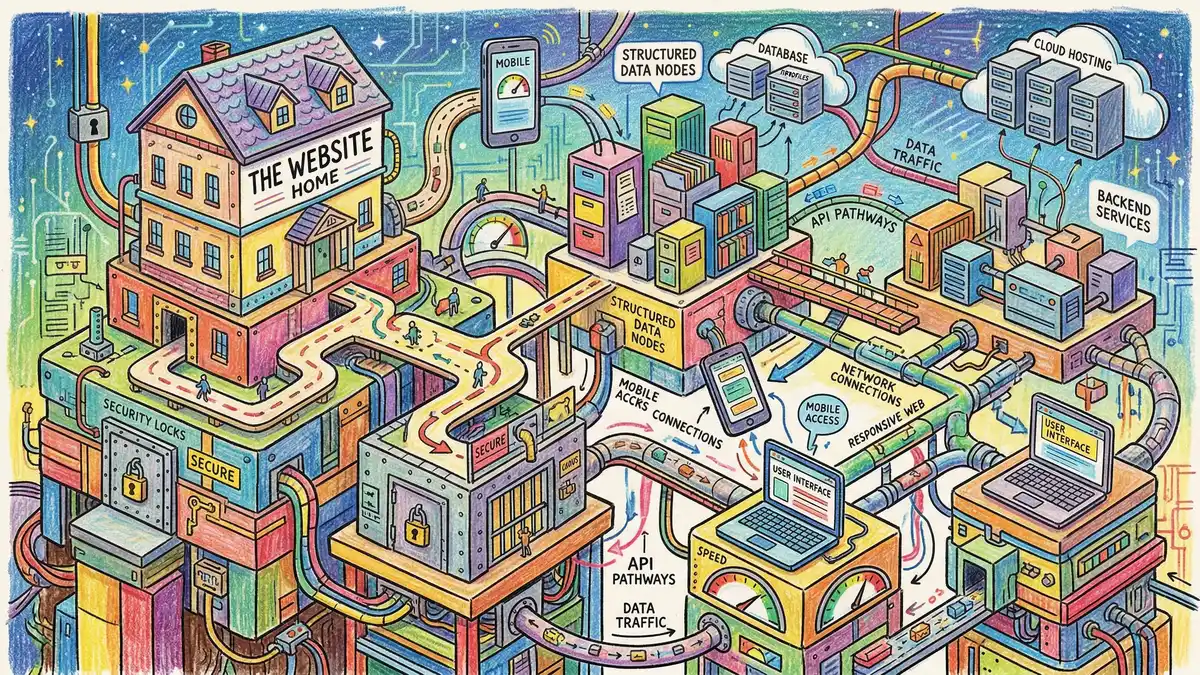
Why does site architecture matter?
Site architecture determines how pages connect and how authority flows throughout your website. A well-structured site helps search engines understand content relationships, improves crawl efficiency, and distributes link equity effectively.
Best practices for site architecture include maintaining a flat structure where important pages remain reachable within three clicks of the homepage. This maximises crawl efficiency and ensures link equity reaches key pages. Our guide on website architecture for SEO covers structural planning in detail.
Internal linking strategy directly impacts rankings. Descriptive anchor text helps search engines understand linked page topics. Breadcrumb navigation with schema markup improves both user experience and crawlability. Content hubs or pillar pages with topic clusters signal topical authority.
For more on implementing effective internal linking, see our internal links guide. Regular audits should identify orphaned pages (those with no internal links pointing to them), broken links, and opportunities to strengthen connections between related content.
HTTPS and security
HTTPS adoption has reached 91.7% for desktop and 91.5% for mobile pages according to HTTP Archive. HTTPS is now effectively the default, with browsers displaying warnings for non-secure sites. Beyond rankings, security impacts user trust and conversion rates.
Ensure proper SSL certificate implementation, redirect all HTTP requests to HTTPS with 301 redirects, update internal links and canonicals to HTTPS versions, and check for mixed content issues where secure pages load insecure resources.
How to perform a technical SEO audit
A technical SEO audit systematically evaluates your website's infrastructure against search engine requirements. Regular audits identify issues before they impact rankings and ensure technical foundations support your content strategy.
Crawlability Check
Verify robots.txt configuration, XML sitemap accuracy, and crawl error analysis. Ensure important pages are accessible to search engines.
Indexing Analysis
Review indexed page count against actual pages. Identify duplicate content issues and verify canonical tag implementation across all URLs.
Core Web Vitals Assessment
Measure LCP, INP, and CLS scores. Prioritise fixes by impact — LCP improvements typically deliver the largest ranking benefit.
Site Architecture Evaluation
Map internal linking patterns, find orphaned pages, and analyse click depth. Key pages should be reachable within three clicks of the homepage.
Security and Schema Audit
Confirm HTTPS implementation, check for mixed content, and validate structured data markup against Google's Rich Results Test.
Free tools for technical audits include Google Search Console (essential), Google PageSpeed Insights, Screaming Frog (free tier covers 500 URLs), and Chrome DevTools for JavaScript rendering analysis.
Whitehat SEO's comprehensive website audit examines all technical elements alongside content and competitive analysis, providing prioritised recommendations with commercial impact assessments.
UK-specific technical SEO considerations
UK businesses face specific regulatory requirements that directly impact technical SEO performance. Understanding these requirements helps avoid compliance issues whilst maintaining site speed and user experience.
Cookie consent and Core Web Vitals
UK GDPR requires consent before placing non-essential cookies, enforced by the ICO. In January 2025, the ICO assessed the top 200 UK websites and communicated concerns to 134 (67%) for non-compliance. By December 2025, over 95% of the UK's top 1,000 websites met compliance checks.
Poorly implemented cookie banners directly harm Core Web Vitals. Cookie consent banners can become the LCP element, cause layout shifts affecting CLS, and heavy synchronous scripts delay INP. Best practices include embedding banner scripts directly in HTML, reserving fixed CSS layout space, using lightweight non-blocking scripts, and positioning banners at the bottom or side without blocking primary content.
Google has confirmed cookie consent banners are not penalised as intrusive interstitials when legally required. Without proper consent mechanisms, expect 15-40% analytics data loss, affecting your ability to measure marketing performance.
Web accessibility requirements
The Equality Act 2010 requires all UK service providers, both public and private, to make "reasonable adjustments" for people with disabilities. Websites are explicitly included. Over 14 million people (more than 20% of the UK population) have disabilities requiring assistance for online access.
The recommended standard is WCAG 2.2 Level AA for all businesses, mandatory for public sector under the Public Sector Bodies Accessibility Regulations 2018. The Equality and Human Rights Commission can investigate and initiate court action for non-compliance.
Accessibility improvements often align with SEO best practices: proper heading hierarchy, descriptive alt text, semantic HTML, and keyboard navigation all benefit both accessibility and search visibility.
International SEO for UK businesses
UK businesses targeting multiple English-speaking markets need hreflang implementation to signal regional content variants. Use en-gb for UK English, en-us for US English, and en-au for Australian English. Include self-referencing hreflang tags and ensure reciprocal links between all language versions. For large sites, implement hreflang via XML sitemap rather than individual page headers.
Frequently asked questions
What is the difference between technical SEO and on-page SEO?
Technical SEO focuses on website infrastructure that helps search engines crawl and index content, including site speed, mobile compatibility, and structured data. On-page SEO addresses content elements like title tags, headers, and keyword usage. Both are essential, but technical SEO must work properly before on-page optimisation can deliver results. Think of technical SEO as the foundation and on-page SEO as the building constructed upon it.
How much does technical SEO cost?
Technical SEO costs vary significantly based on website complexity. UK agency retainers typically range from £2,000 to £10,000 monthly for ongoing technical management. One-time technical audits cost between £1,000 and £5,000. Implementation costs depend on development resources needed to address identified issues. For mid-market B2B companies, budget 7-12% of marketing spend for SEO activities, with technical work representing approximately 20-30% of that allocation.
What is the difference between a 301 and 302 redirect?
A 301 redirect indicates a permanent move, telling search engines to transfer ranking signals to the new URL. A 302 redirect signals a temporary move, where the original URL should retain its rankings. Use 301 redirects for permanent URL changes, site migrations, or consolidating duplicate content. Reserve 302 redirects for genuinely temporary situations, such as A/B testing or maintenance pages. Incorrect redirect usage can cause ranking dilution and indexing confusion.
How do I check if my pages are indexed by Google?
Use Google Search Console's URL Inspection tool for definitive indexing status. Enter any URL to see whether Google has indexed it, when it was last crawled, and any issues preventing indexing. For bulk checking, review the Coverage report in Search Console. You can also search "site:yourdomain.com/page-url" in Google to verify specific pages appear in results. Regular monitoring helps catch indexing drops before they significantly impact traffic.
What is the difference between crawling and indexing?
Crawling is when search engine bots access and read your website pages. Indexing is when those pages are added to the search engine's database and become eligible to appear in search results. A page can be crawled but not indexed if Google determines it lacks sufficient quality or duplicates existing content. Both processes must succeed for pages to rank. Use robots.txt to control crawling and meta robots tags or canonical tags to influence indexing decisions.
How long does technical SEO take to show results?
Technical SEO improvements typically show measurable results within 4-12 weeks, depending on the changes made and how frequently Google crawls your site. Critical fixes like resolving indexing blocks may impact rankings within days. Core Web Vitals improvements usually require 28 days of data collection before scores update. More comprehensive changes like site migrations may take 3-6 months to stabilise. Monitor Google Search Console weekly to track progress and identify any issues requiring attention.
Get a free technical SEO health check
Discover what's holding back your organic performance. Whitehat SEO's technical audit identifies issues and prioritises fixes based on commercial impact.
Request Your Free AuditReferences
- HTTP Archive: State of the Web (January 2026)
- Google Search Central: Core Web Vitals
- Google Search Central: Mobile-first indexing is complete
- BrightEdge: Organic Search Channel Research
- First Page Sage: SEO ROI Statistics
- Backlinko: Page Speed Statistics
- StatCounter: UK Platform Market Share
- ICO: Cookie Compliance Enforcement (2025)
- HTTP Archive: Web Almanac JavaScript (2024)
- Cloudflare: Website Performance and Conversion Rates
CEO & Founder, Whitehat SEO
Clwyd leads Whitehat SEO, a HubSpot Diamond Solutions Partner specialising in SEO and inbound marketing for B2B companies. With over 15 years of experience, he helps mid-market organisations build sustainable organic growth through strategic technical foundations. answer engine optimisation view our pricing