
HubSpot workflows have become the backbone of modern marketing and sales operations. They enable businesses to automate repetitive tasks, nurture leads at scale, and deliver personalised customer experiences without lifting a finger. But for UK businesses navigating an increasingly competitive digital landscape, understanding how to build, optimise, and measure workflows effectively is no longer optional—it's essential.
The UK marketing automation market is valued at £385–464 million and is growing at a compound annual growth rate (CAGR) of 14.2% through 2035. This growth signals one thing: automation works. Across industries, teams are leveraging HubSpot's workflow tools to reduce manual workload, improve consistency, and drive measurable results. Yet many organisations leave significant ROI on the table by failing to use workflows strategically or by underestimating what's possible with the platform.
This comprehensive guide walks you through everything you need to know about HubSpot workflows in 2026—from foundational concepts to advanced automation strategies, the new AI-powered Breeze Agents, and the rebranded Data Hub that replaces Operations Hub. Whether you're a marketer, sales leader, or operations professional, you'll discover practical frameworks for building workflows that drive real business outcomes.
Key Takeaway
HubSpot workflows automate lead nurturing, onboarding, and customer engagement. Combined with new Breeze Agents and Data Hub tools, they deliver 50% more sales-ready leads at 33% lower cost (Forrester 2025), with 95% of customers achieving positive ROI within 3 years.
What Are HubSpot Workflows?
A workflow in HubSpot is an automated sequence of actions triggered by specific conditions. Think of it as a digital assistant that watches for events—a contact fills out a form, an email is opened, a deal stage changes—and then executes pre-programmed actions in response. These actions might include sending emails, creating tasks for sales reps, updating contact properties, or enrolling leads into a funnel.
Workflows operate 24/7, applying consistent logic across thousands of contacts simultaneously. No manual intervention required. This consistency, combined with speed and scale, is what makes workflows so powerful for UK businesses scaling their operations.
Lead Nurturing
Automatically drip-feed educational content to prospects based on their behaviour and engagement level, warming them for sales conversations.
Customer Onboarding
Guide new customers through setup, training, and activation in a structured, repeatable way that improves time-to-value.
Re-engagement Campaigns
Win back inactive customers or prospects with targeted messaging and special offers before they churn.
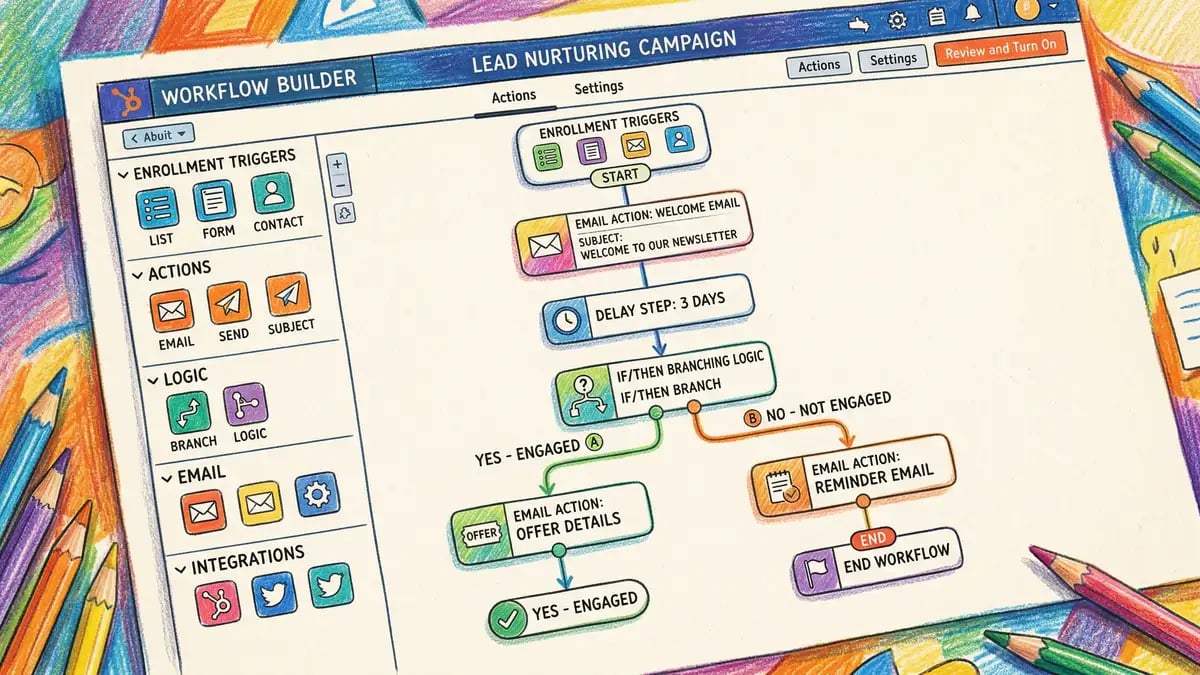
HubSpot Workflows vs. External Automation Tools
Some organisations use third-party automation platforms like Zapier or Make in tandem with HubSpot. While these tools add flexibility for integrations outside the HubSpot ecosystem, native HubSpot workflows offer a decisive advantage: they're purpose-built to work with your CRM data and don't require manual syncing or additional tool costs.
Internal workflows (running within HubSpot) execute instantly without external API latency. External workflows add flexibility but introduce dependencies and potential failure points. For most UK businesses, a hybrid approach works best: use native workflows for core automation loops and external tools only when you need to connect systems outside HubSpot's ecosystem.
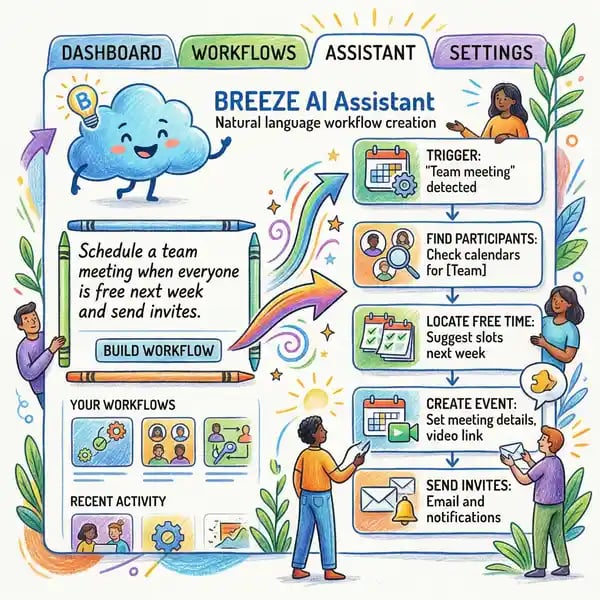
The latest game-changer in this space is Breeze AI, HubSpot's new suite of intelligent agents launched in 2025. Breeze includes a Data Agent for blending information from multiple sources, a Prospecting Agent for identifying high-value targets, a Customer Agent for accelerating service interactions, and a Content Agent for generating personalised messaging. These agents reduce manual data wrangling and improve the quality of automation logic—a significant leap forward for sophisticated workflows.
The New HubSpot Data Hub: What Changed
At INBOUND 2025 in the autumn, HubSpot announced a major rebrand: Operations Hub is now Data Hub. This isn't merely a cosmetic change—it reflects HubSpot's strategic pivot toward data quality and integration. Data Hub maintains unchanged pricing and workflow limits from the previous Operations Hub, ensuring existing customers see no disruption. What's new is the platform's focus on three capabilities:
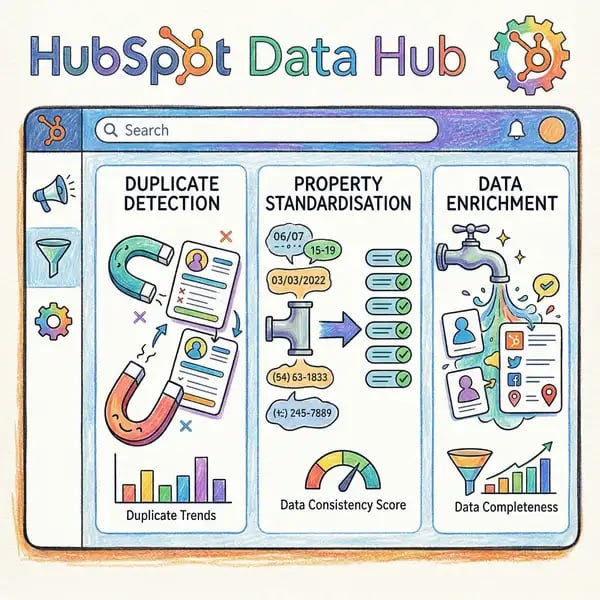
Data Studio: A no-code AI data blending tool that lets you merge information from data warehouses, spreadsheets, CRM records, and third-party apps into a unified dataset for workflows. This eliminates manual data aggregation and improves automation logic with richer, more accurate input.
Smart Properties: AI-powered properties that auto-classify contacts based on engagement signals and automatically score leads based on purchase intent. This reduces reliance on custom scoring logic and ensures all contacts receive consistent, intelligent segmentation.
Data Quality Tools: Integrated deduplication, cleansing, and enrichment capabilities that ensure your workflows operate on accurate data. Garbage in, garbage out—clean data is the foundation of effective automation.
Compliance Note: GDPR and Data Privacy in Workflows
Common mistake: Automating workflows without respecting UK GDPR consent requirements. If a contact hasn't consented to marketing emails, no workflow should add them to a nurture sequence.
The reality: Always check consent properties before enrolling contacts in any workflow. Use HubSpot's legal basis and communication preferences fields to ensure compliance. Failure to do so risks ICO enforcement and reputational damage.
The Business Case: Why Workflows Drive ROI
Numbers don't lie. Here's what data shows about the real-world impact of workflow automation:
95%
Positive ROI Achieved
HubSpot customers reaching profitability within 3 years
505%
3-Year Return
Average ROI over 36 months
50%
More Sales-Ready Leads
From nurtured automated campaigns (Forrester 2025)
33%
Lower Cost Per Lead
When nurturing is automated (Forrester 2025)
Sources: HubSpot 2025 ROI Report; Forrester Research 2025
Beyond headline numbers, workflows solve concrete business challenges: they reduce the time sales teams spend on administrative work, improve email engagement (automated welcome emails average 83% open rates vs. 45% for general campaigns), and ensure no lead falls through the cracks due to human forgetfulness.
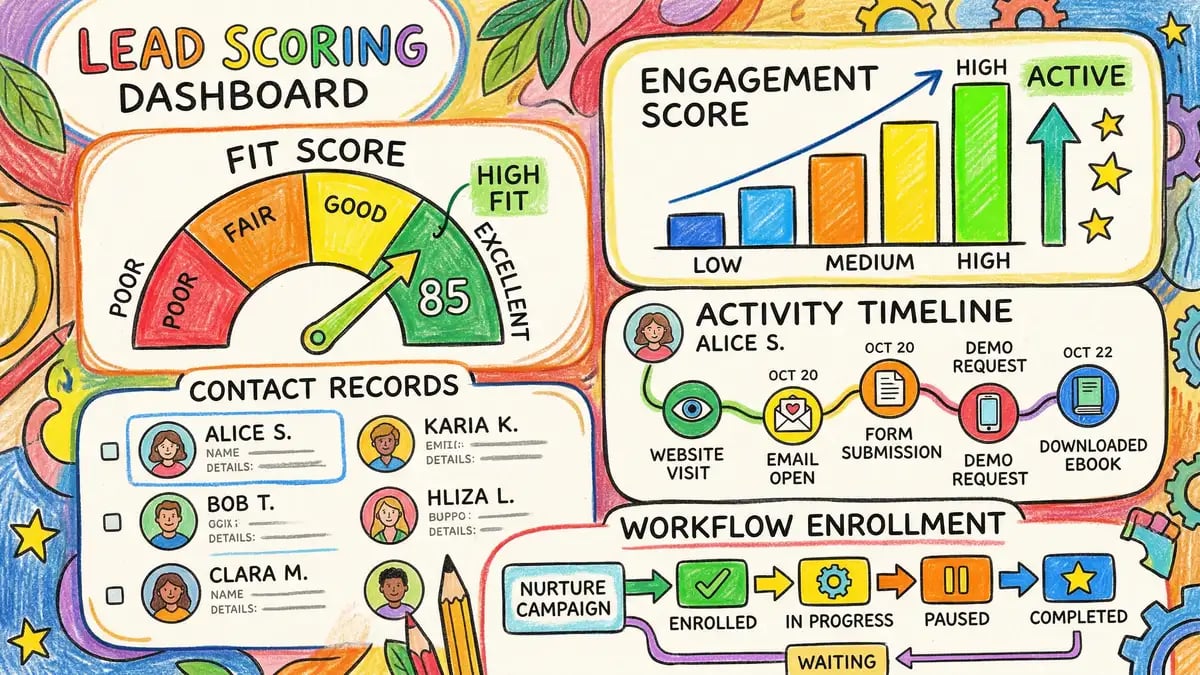
How to Build a HubSpot Workflow: Step-by-Step
Building a workflow is straightforward once you understand the process. Here's a practical walkthrough:
Define Your Goal and Trigger
Start with the outcome you want—nurture leads, welcome customers, re-engage inactive contacts—then identify the trigger. Triggers might include form submissions, list additions, email opens, deal stage changes, or custom conditions based on contact properties.
Build Your Action Sequence
Add actions that fire in sequence or parallel. Common actions include sending emails, assigning tasks, updating properties, enrolling in lists, or waiting for a specific period. Use delays strategically—a 1-day delay between emails feels more personal than sending five messages in an hour.
Add Conditional Logic
Create branches based on behaviour or data. For example: "If email is opened, enroll in advanced course; if not opened after 7 days, send a reminder." This personalisation improves outcomes by tailoring the path to each contact's engagement level.
Test Before Launch
Always test with a small subset of contacts or use HubSpot's workflow testing feature. Review email preview, check logic conditions, and ensure no contacts receive conflicting messages. One mistake at scale can damage trust and harm your sender reputation.
Monitor and Optimise
Once live, review enrolment rates, email open rates, click-through rates, and conversion metrics. Use data to refine messaging, timing, and logic. A/B test email subject lines and call-to-action copy to improve performance over time.
Ready to get serious about automation? Let Whitehat guide your workflow strategy to ensure every automation drives real results.
Explore HubSpot ServicesWorkflow Best Practices for UK Businesses
Not all workflows are created equal. Here's what separates high-performing workflows from average ones:
| Best Practice | Why It Matters |
|---|---|
| Keep workflows focused | One trigger, one primary goal. Multi-purpose workflows become unmaintainable and harder to measure. Instead, chain workflows together if a contact needs multiple automations. |
| Use smart delays | 1–3 days between emails is typical. Delays that respect working patterns (no 3 AM messages) improve engagement and reduce spam complaints. |
| Exclude unenrollment criteria | Automatically remove contacts if they unsubscribe, convert to customer, or meet exit conditions. This prevents wasting emails on unqualified recipients. |
| Name workflows descriptively | Use names like "Lead Nurture—Product Launch Q2 2026" not "WF001". This aids management and prevents duplicate workflows. |
| Document trigger logic | Complex workflows benefit from a brief description in HubSpot's workflow notes field. This helps new team members understand intent. |
| Test consent every time | Verify GDPR and marketing preferences before sending. A compliance mishap damages brand reputation and triggers regulator scrutiny. |
| Review monthly | Workflows drift. Set a monthly cadence to review enrolment rates, bounce rates, and conversion metrics. Pause underperformers; optimise winners. |
Source: HubSpot Workflow Best Practices Guide 2026
Measuring Workflow Performance
What gets measured gets managed. You can't optimise a workflow if you don't know whether it's working. Here are the key metrics to track:
Enrolment Rate: How many contacts enter the workflow per week? A low rate suggests your trigger logic is too narrow or your data is incomplete. Investigate and broaden criteria if appropriate.
Email Open Rate: The baseline is 45% for automated campaigns; welcome emails exceed 83%. If your workflow emails open below 40%, revisit subject lines, send times, and audience targeting.
Click-Through Rate: Aim for 2–5% CTR on nurture emails. If CTR is under 2%, your content may not resonate. If above 5%, you've hit the audience sweet spot—replicate these patterns.
Conversion Rate: What percentage of enrolled contacts take the desired action (become customer, move to sales stage, download asset)? This is the ultimate measure of ROI. A 5–10% conversion rate is strong; optimise from there.
Cost Per Acquisition: Divide workflow spend (email software, labour to maintain workflow) by conversions. Use this to justify automation investment to leadership.
Common Workflow Questions (FAQ)
Can I unenroll a contact from a workflow?
Yes. Use the unenroll action in a workflow, or manually unenroll via the contact record. Unenrolment stops all future actions but doesn't reverse actions already sent (e.g., emails already delivered).
How many workflows can I run simultaneously?
HubSpot allows unlimited workflows. However, in practice, focus on quality over quantity. A single, well-optimised workflow outperforms ten poorly designed ones.
Can workflows send SMS or WhatsApp messages?
Native HubSpot workflows send emails. For SMS or WhatsApp, integrate with a third-party service (e.g., Twilio via external workflow) or use HubSpot's SMS app alongside workflows for multi-channel campaigns.
What happens if a contact meets multiple workflow triggers simultaneously?
Contacts can enrol in multiple workflows at once. Use enrolment rules to prevent conflicts (e.g., "Don't enrol if already in a nurture workflow"). This avoids duplicate messaging and message fatigue.
How does workflow frequency capping work?
HubSpot allows you to set frequency caps—e.g., "Don't send more than 3 workflow emails per week per contact." This prevents overwhelming subscribers and reduces unsubscribe rates. Always enable frequency caps for nurture workflows.
Final Thoughts: The Future of Workflow Automation
HubSpot workflows have matured from "nice-to-have" to "must-have" for competitive UK businesses. The introduction of Breeze Agents, Data Hub, and Smart Properties means you now have intelligent automation tools that learn and improve over time—not just dumb rules.
The organisations winning in 2026 aren't those with the most workflows; they're those with workflows that are strategic, data-informed, and properly measured. Start simple—one or two high-impact automations—then scale thoughtfully as you learn what works.
Ready to unlock workflow automation for your business?
Whitehat's HubSpot experts can help you design, build, and optimise workflows that drive measurable revenue impact. From strategy to execution, we'll ensure your automation program delivers real results.
Clwyd Probert
HubSpot Specialist, Whitehat SEO
Clwyd leads HubSpot automation strategy for UK-based SaaS and professional services firms. With 6+ years of platform experience and 200+ workflows deployed, he specialises in turning marketing and sales data into actionable automation that drives revenue growth.
Sources: HubSpot 2025 ROI Report; GetResponse Email Marketing Benchmark 2025; Forrester Research Lead Nurturing Study 2025; UK Marketing Automation Market Analysis 2026