
Architect Website Design & SEO: Building a Site That Wins Clients
An architect's website is more than a digital portfolio—it's a sales machine. Yet many architecture firms invest heavily in stunning visuals whilst neglecting the technical SEO and conversion elements that turn visitors into clients. This guide reveals how to design an architect website that ranks in Google, performs flawlessly on mobile, and converts site visitors into qualified leads.
60%+
Architecture searches happen on mobile
<2.5s
Target page load time for conversion
79
Keyword difficulty for "architect design website"
3-5s
Average architecture site load time
Key Takeaway
Effective architect websites combine high-quality visual portfolios with technical SEO excellence. Image optimisation, Core Web Vitals compliance, mobile-first design, and structured data markup are just as critical as design itself. The firms winning clients balance aesthetic appeal with measurable conversion mechanics.
What Makes an Effective Architecture Website
An architect's website must serve two masters: potential clients who are browsing for inspiration and search engines that decide whether those clients find you. Too many architecture practices prioritise pure aesthetics over function, resulting in beautiful sites that nobody finds and visitors who leave without converting.
The winning formula combines:
Visual Portfolio
High-resolution project images that showcase your best work with context, client testimonials, and project outcomes.
Technical Foundation
Fast page speed, mobile responsiveness, structured data, and clean HTML/CSS that search engines can crawl and index.
Clear Conversion Path
Obvious CTAs for consultation booking, contact forms, and portfolio filters that guide visitors towards inquiry or appointment.
Portfolio SEO — Making Visual Work Searchable
Your project portfolio is your most powerful SEO asset, yet most architecture sites waste it. High-quality images alone don't rank. Search engines need context.
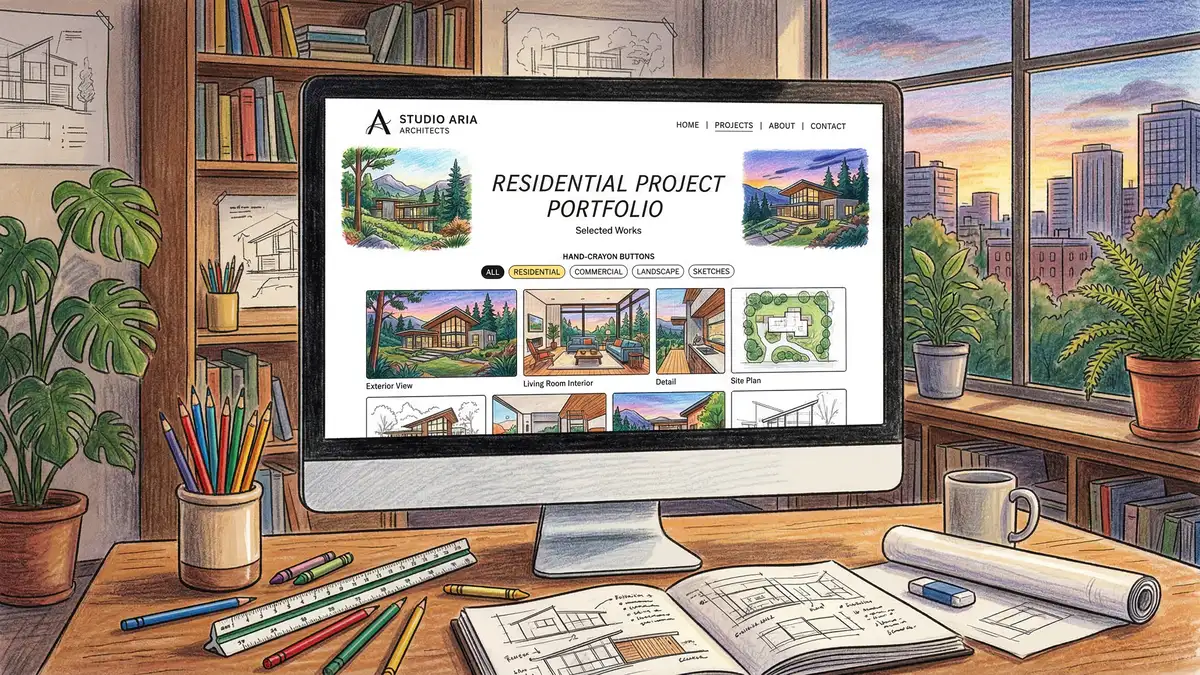
Image Optimisation Essentials
Images can account for 50–80% of page weight on architecture sites. Without optimisation, your site becomes slow and unranked. Follow these proven tactics:
- Format: Use WebP with PNG fallback for drawings and schematics, WebP for photography. Aim for 50–70% file size reduction.
- Responsive images: Serve different resolutions to mobile and desktop users using srcset and sizes attributes.
- Lazy loading: Defer offscreen images using loading="lazy" to improve initial page speed.
- Alt text: Describe each project image with keyword-rich context: "Modern residential extension with oak cladding and triple-glazed windows."
- Image captions: Add project details, client name, and location beneath each image for both UX and SEO.
Portfolio Page Structure
Each project should have its own dedicated page with:
| Element | Purpose | SEO Benefit |
|---|---|---|
| Project title | Unique H1 with project name, style, location | Targets long-tail keywords like "modern barn conversion Somerset" |
| Project brief | 150–200 words describing brief, approach, outcome | Keyword context + topical authority |
| Specifications | Structured data: date, budget range, materials, square footage | Featured snippet eligibility + rich snippets in SERPs |
| Process gallery | Sketches, renders, construction phases (8–12 images) | Extended time-on-page + social share amplification |
| Related projects | 3–5 links to similar style, budget, or location | Internal linking + topical silos + lower bounce rate |
Technical Performance: Speed, Core Web Vitals & Mobile
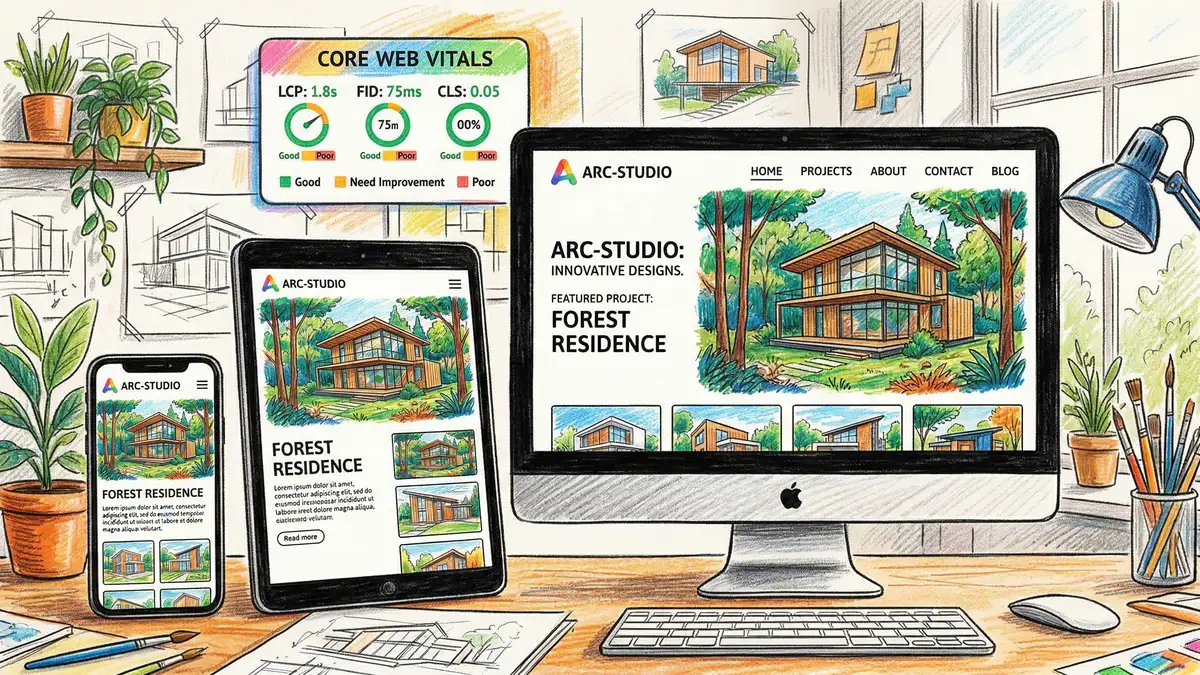
Google now uses Core Web Vitals as a ranking factor. Architecture sites that load slowly, have layout shifts, or aren't mobile-friendly lose rankings and clients.
Critical Performance Threat
Average architecture websites load in 3–5 seconds. Conversion rates drop 7% for every 1-second delay. At 3 seconds, you're losing roughly 21% of mobile visitors before they see your work. Optimising to under 2.5 seconds is non-negotiable.
Core Web Vitals Targets
| Metric | Target | Impact |
|---|---|---|
| Largest Contentful Paint (LCP) | ≤ 2.5 seconds | Page feels fast to users; ranks higher in mobile SERPs |
| Cumulative Layout Shift (CLS) | ≤ 0.1 | Prevents jarring shifts as images/ads load; better user experience |
| First Input Delay (FID) / Interaction to Next Paint (INP) | ≤ 100ms | Fast form responses, button clicks; reduces bounce on mobile |
| Mobile usability | No errors in GSC | Essential baseline; poor mobile breaks rankings |
Speed Optimisation Tactics
- Enable GZIP compression and Brotli on your server.
- Minify CSS, JavaScript, and HTML; tree-shake unused code.
- Use a Content Delivery Network (CDN) to serve images globally.
- Implement critical CSS inlining for above-the-fold content.
- Defer non-critical JavaScript; preload critical resources.
- Limit third-party scripts (analytics, chat widgets, ads)—they often tank performance.
Platform Comparison: WordPress vs. Squarespace vs. Custom Build
Choosing the right platform sets the tone for SEO, performance, and scalability. Here's how the top three stack up:
| Platform | Strengths | Weaknesses |
|---|---|---|
| WordPress + WooCommerce | Maximum flexibility; best SEO plugins (Yoast, Rank Math); endless customisation; superior performance with good hosting | Steeper learning curve; security requires active maintenance; requires quality hosting (~£15–100/month) |
| Squarespace | Beautiful templates; zero maintenance; included hosting; excellent portfolio showcase; good mobile performance | Limited SEO control; expensive at scale (£180–360+/year); less powerful filtering/search; vendor lock-in |
| Custom Build (React, Next.js, Vue) | Ultimate performance and UX control; unlimited scalability; bespoke features; highest conversion potential | High upfront cost (£15k–50k+); requires ongoing developer; slower time-to-market; SEO requires deliberate setup |
Recommendation for most architects: Start with WordPress on quality hosting (e.g., Kinsta, WP Engine) unless you already have a Squarespace presence. WordPress offers the best balance of performance, SEO control, and cost. Scale to custom builds only once you need features Squarespace and WordPress can't deliver.
Need help with your architecture firm's website? See our SEO for Architects service.
View SEO for ArchitectsEssential Pages Every Architect Website Needs
Beyond your portfolio, your site should include these pages to rank for high-intent keywords and guide visitors towards conversion:
Home Page
Hero with your best project image, clear value proposition, featured portfolio grid (6–9 projects), testimonials, and above-the-fold CTA for consultation.
About / Team Page
Your story, qualifications, awards, team bios (for professional schema markup). Rich, keyword-optimised content that differentiates you from competitors.
Services Page
Breakdown of your practice areas: residential, commercial, heritage, refurbishment, etc. Each with description, icon, and link to filtered portfolio.
Portfolio / Projects Page
Filterable grid by style (modern, traditional, sustainable), budget, location, or project type. Lazy-load images; meta descriptions for each project.
Blog
Monthly posts on local planning trends, case studies, design insights. Powers long-tail rankings and builds topical authority.
Contact / Inquiry Page
Simple form: name, email, phone, project scope, timeline. Offer instant callback, email confirmation, and next-step clarity.
Conversion Optimisation: CTAs, Forms & Booking
A beautiful site worth nothing if visitors don't enquire. Architect websites should guide users towards one of three actions:
- Fill a contact form (best for leads you can nurture)
- Book a consultation via Calendly, Acuity, or similar (best for ready-to-buy clients)
- Call now (direct sales for warm, high-intent visitors)
CTA Best Practices
- Placement: After hero, after portfolio section, in exit-intent popups, sticky footer on mobile.
- Copy: Specific, benefit-driven: "Get Your Free Design Consultation" beats "Contact Us."
- Contrast: Use your accent colour (orange in your case) for buttons. Make them at least 44×44px on mobile.
- Form friction: Start with 3 fields (name, email, project scope). Add optional fields after initial submit.
- Trust signals: "No pressure" language, mention response time, show credentials/awards above form.
Schema Markup & Structured Data
Search engines understand your site better with structured data. For architect sites, implement:
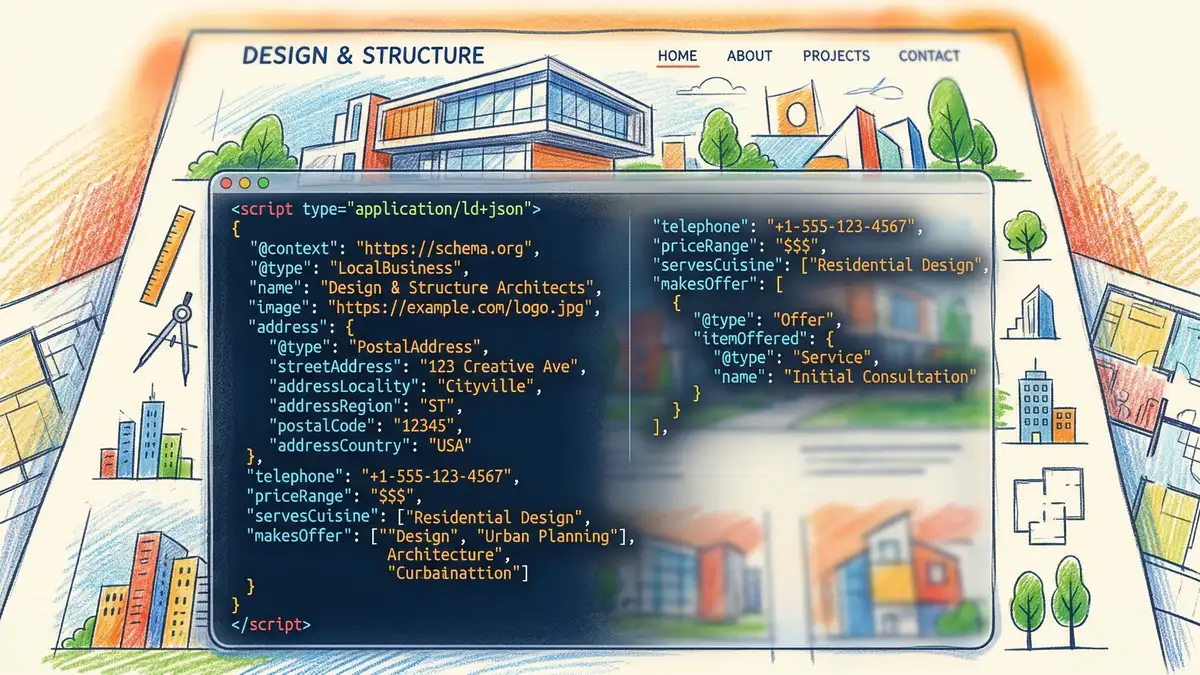
Essential Schema Types
- LocalBusiness: Name, address, phone, hours, coordinates. Boosts local pack visibility.
- Architect professional schema: Credentials, qualifications, specialisations.
- Project / CreativeWork: Each portfolio item: title, description, date, images, materials, budget range (optional).
- BreadcrumbList: Home > Projects > Project Name. Improves SERP visibility and breadcrumb display.
- Review / AggregateRating: Client testimonials with 5-star ratings. Boosts click-through from SERPs.
- FAQPage: Answers to common client questions. Eligible for featured snippet.
Accessibility & WCAG Compliance
Accessible websites rank better, convert better, and protect your firm legally. Architect sites should meet WCAG 2.1 AA minimum:
- Colour contrast: Text ≥ 4.5:1 ratio on backgrounds (7:1 for large text).
- Alt text: Every image needs descriptive alt. Decorative images get alt="".
- Keyboard navigation: Users should navigate forms and menus with Tab/Enter only.
- Form labels: Every input has associated <label>. No placeholder-only forms.
- ARIA landmarks: Use <nav>, <main>, <aside>, <footer> for screen reader users.
- Video captions: All portfolio videos need captions (and searchable transcripts boost SEO).
Website Redesign Checklist
Planning a website refresh? Use this step-by-step checklist to ensure nothing critical is overlooked:
Audit Current Site
Check Google Search Console for top-ranking pages and keywords. Export Google Analytics traffic by page. Identify top 20 projects by engagement.
Plan URL Structure
Map old URLs to new URLs. Use 301 redirects for all changes. Never delete old portfolio pages; redirect them.
Optimise Images
Batch-process all images to WebP, 3–4 breakpoints. Write alt text for every image. Compress files to <200KB average.
Migrate & Test
Deploy to staging; test on mobile, desktop, tablet. Check all forms, CTAs, and links. Run speed test (PageSpeed Insights, GTmetrix).
Implement Schema
Add LocalBusiness, Project schema to homepage and portfolio pages. Validate with Google Schema Testing Tool.
Set Up Monitoring
Add to Google Search Console; request crawl. Set up Google Analytics 4 goal tracking for form submissions. Monitor Core Web Vitals.
Launch & Promote
Go live; update social profiles with new URL. Notify email list. Promote top 5 portfolio projects on LinkedIn and Instagram.
Frequently Asked Questions
Ready to Transform Your Architecture Firm's Website?
We build SEO-optimised websites that convert visitors into clients for architecture practices across the UK.
Architect Marketing Hub
Whitehat SEO Team
Specialist Digital Marketing for Professional Services
The Whitehat SEO Team specialises in helping professional service firms—architects, engineers, accountants, solicitors—rank locally and nationally, and convert organic traffic into qualified leads. We've helped 50+ architecture practices grow their online visibility and double their project pipeline through technical SEO, content strategy, and conversion optimisation.
Sources: Core Web Vitals best practices (Google Search Central), WCAG 2.1 AA guidelines (W3C), Architecture Website Case Studies (Whitehat SEO client data 2024–2026), PageSpeed Insights & Google Analytics benchmarks.