
Customer retention is the most overlooked lever for sustainable growth. Most B2B companies obsess over acquisition, pouring budgets into leads and conversion funnels. But here's the truth: acquiring a new customer costs five to seven times more than retaining an existing one. Yet many organisations spend just a fraction of their acquisition budget actually listening to the customers they've already won.
This is where the delight stage of inbound marketing becomes your hidden competitive advantage. Customer delight surveys—specifically Net Promoter Score (NPS), Customer Satisfaction (CSAT), and Customer Effort Score (CES)—are no longer optional niceties. They're operational essentials that directly drive revenue, reduce churn, and fuel word-of-mouth growth. Companies with the highest NPS scores grow revenue 2.5 times faster than their competitors. That's not correlation; that's causation backed by systematic measurement and action.
In this guide, we'll walk through how to set up, measure, and act on customer feedback using HubSpot's Service Hub survey tools. Whether you're a SaaS founder, a B2B services agency, or a UK enterprise, this playbook will help you turn passive customer data into active growth.
Why Customer Delight Matters More Than Ever
The inbound marketing methodology has three stages: attract, engage, and delight. Most teams nail the first two. Attracting prospects via content, SEO, and paid ads is straightforward. Engaging them with sales conversations and product demos is table stakes. But delighting them? That's where teams either compound their early wins or see them erode.
Customer delight isn't about free swag or birthday cards. It's about understanding what success looks like to your customers and proving you've delivered it. When you close that loop—ask for feedback, acknowledge it, act on it—you transform customers into promoters. And promoters have 6 to 14 times higher lifetime value than detractors.
A customer retention increase of just 5% can boost profits by 25% to 95%, depending on your industry. Those are venture-capital-scale returns from a discipline that costs almost nothing to implement. HubSpot Service Hub now includes native support for NPS, CSAT, and CES surveys, making it possible to close this loop without expensive third-party tools.
Key Takeaway
Customer feedback is a growth multiplier, not a cost centre. Organisations that systematically capture, measure, and act on feedback grow faster, retain longer, and build stronger brand advocates. The technology exists. The question is whether you're using it.
Understanding NPS, CSAT, and CES: Which Metric Matters When
Three survey types dominate customer feedback programmes. Each measures something different and drives different actions. Mixing them up—or running the wrong one at the wrong time—wastes survey fatigue and delivers noise instead of insight.
Let's break down each one and show you when to deploy them:
| Metric | Question | Best Use Case | Sample Benchmark (UK B2B) |
|---|---|---|---|
| NPS | How likely are you to recommend us to a colleague? | Quarterly or annual health check; measuring loyalty over time | 30–40 (good), 50+ (excellent), 70+ (world-class) |
| CSAT | How satisfied are you with your experience? | Post-interaction (support ticket, onboarding, feature launch) | 70–80% (good), 85%+ (excellent) |
| CES | How easy was it to get your issue resolved? | Post-support interactions; identifying friction in customer journeys | 6+ on 7-point scale (good ease); 5–6 indicates friction |
Sources: Bain & Company NPS Research 2024, Retently Customer Feedback Benchmarks 2025, HubSpot Service Hub Documentation
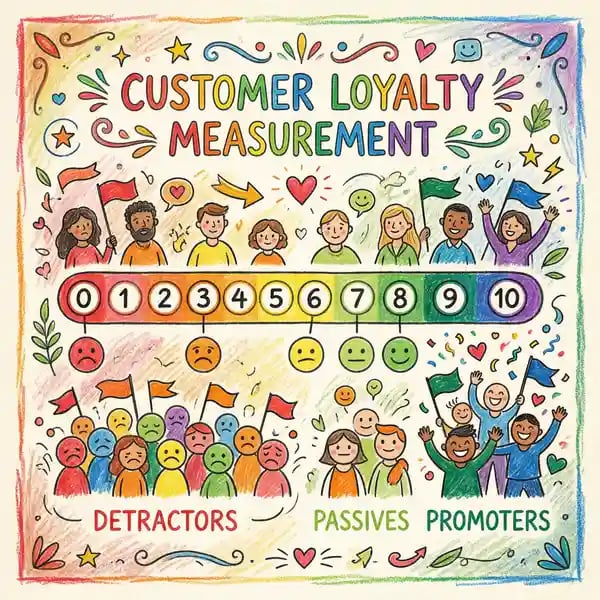
NPS (Net Promoter Score) is a single-question, single-number metric (0–10 scale). Respondents are divided into promoters (9–10), passives (7–8), and detractors (0–6). Your NPS is calculated as: (% Promoters) – (% Detractors). It's simple, comparable across time, and correlates strongly with revenue growth and retention. Run this quarterly or twice yearly to spot trends. The SaaS NPS benchmark is 41 in 2024–2025; B2B averages 30–40 (good), with world-class organisations hitting 70+.
CSAT (Customer Satisfaction) is transactional. You ask it immediately after a specific event—a support interaction, a trial sign-up, a feature adoption. It's a single question on a 1–5 or 1–10 scale. CSAT is good for spotting immediate pain points but doesn't predict long-term loyalty as reliably as NPS. Use CSAT to measure individual team performance and to catch problems before they become retention issues.
CES (Customer Effort Score) flips the script. Instead of asking if they're happy, you ask how easy it was to get their problem solved. A low effort score (high CES) is a leading indicator of retention; customers who struggle to get help often churn. CES is especially powerful for identifying process friction in onboarding, support, and feature adoption.
Setting Up Surveys in HubSpot Service Hub
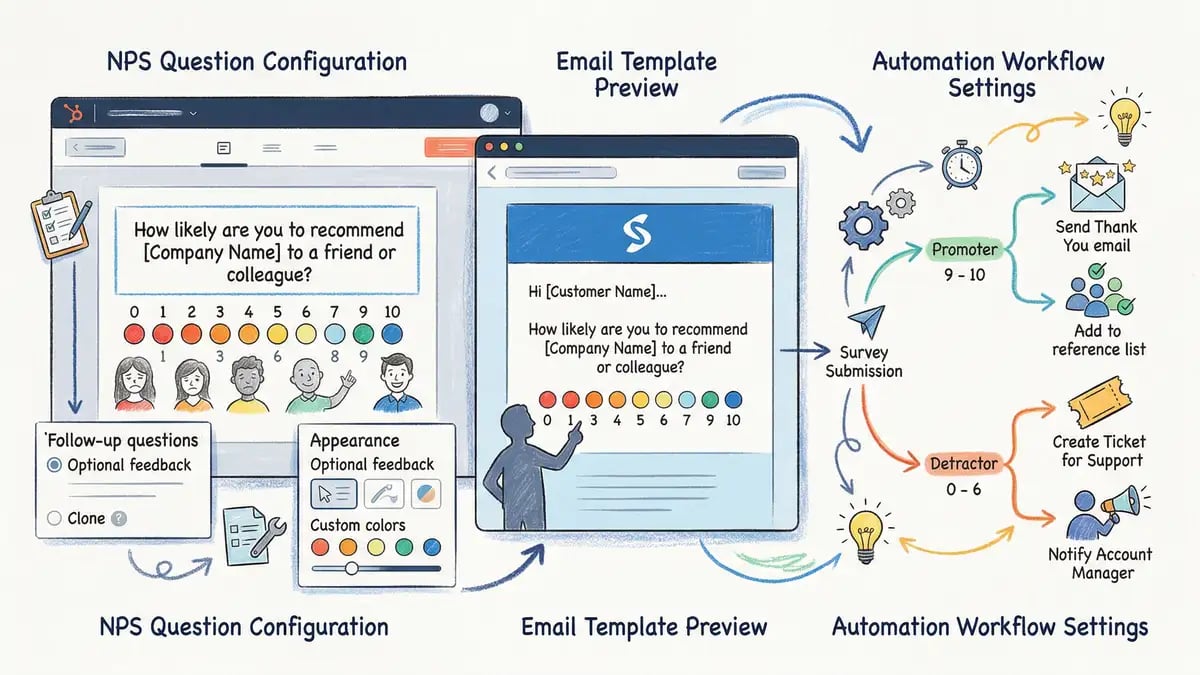
HubSpot Service Hub (part of the Service Hub tier or higher) now includes native survey capabilities. You can create NPS, CSAT, and CES surveys without leaving your HubSpot account, and responses flow directly into contact records for automated follow-ups.
Here's how to set one up:
Log in to HubSpot and Navigate to Service Hub
In your HubSpot account, go to Service Hub > Surveys. Click Create Survey to begin.
Choose Your Survey Type
Select NPS, CSAT, or CES depending on your use case. HubSpot provides templates with recommended wording, but you can customise the question and response scale.
Configure Automation Rules
Set up workflows to automatically route detractors to your success team and promoters into your referral programme. For example: if NPS ≤ 6, trigger a high-touch follow-up task. If NPS ≥ 9, send a case study request or referral prompt.
Set Timing and Distribution
Decide when to send the survey (immediately post-support, post-onboarding, quarterly via email) and to whom. Use contact list segmentation to avoid survey fatigue: exclude customers surveyed in the last 90 days, and avoid sending to prospects or inactive contacts.
Launch and Monitor Response Rates
Once live, monitor open rates and response rates in the dashboard. NPS surveys typically see 20–40% response rates; if you're below 10%, consider adjusting timing, messaging, or audience size.
One critical rule: time your surveys wisely. Don't blast all customers with NPS surveys in January and expect consistency. Instead, stagger them throughout the quarter and use automation to trigger surveys based on real events—when a customer completes onboarding, when they submit a support ticket, when they hit a contract renewal date. Event-triggered surveys have higher response rates and better data quality because the experience is fresh in the respondent's mind.
Also, keep follow-up questions minimal. The power of NPS is its simplicity. If you ask "How likely are you to recommend us?" and then follow with 10 follow-up questions, response rates plummet and you'll miss the forest for the trees. Add one or two open-ended follow-ups—"What could we do better?" and "What do you value most?"—and leave it at that.
NPS Benchmarks by Industry and Why They Matter
41
SaaS NPS Average
2024–2025 benchmark
30–40
B2B Good NPS
Competitive but not differentiated
50+
Excellent NPS
Growth accelerant; strong retention
70+
World-Class NPS
Industry leadership; viral growth
Sources: Retently NPS Benchmarks 2025, Bain & Company Net Promoter Research, HubSpot Customer Satisfaction Survey 2024
These benchmarks matter because they contextualise your score. An NPS of 45 sounds good in isolation, but if your competitors are at 55, you're being outpaced. Benchmarking forces you to either catch up or compete on a different dimension—better service, faster implementation, stronger integrations.
In the UK B2B market specifically, customer retention averages 76–85% across industries. But this masks huge variation. Companies with NPS above 50 typically see retention of 90%+, while those below 20 often see churn above 40%. The difference between a 20-point NPS improvement isn't just a vanity metric—it's 10–15 percentage points of additional retention, which compounds into exponential revenue growth over three to five years.
Turning Feedback into Revenue: Closing the Loop
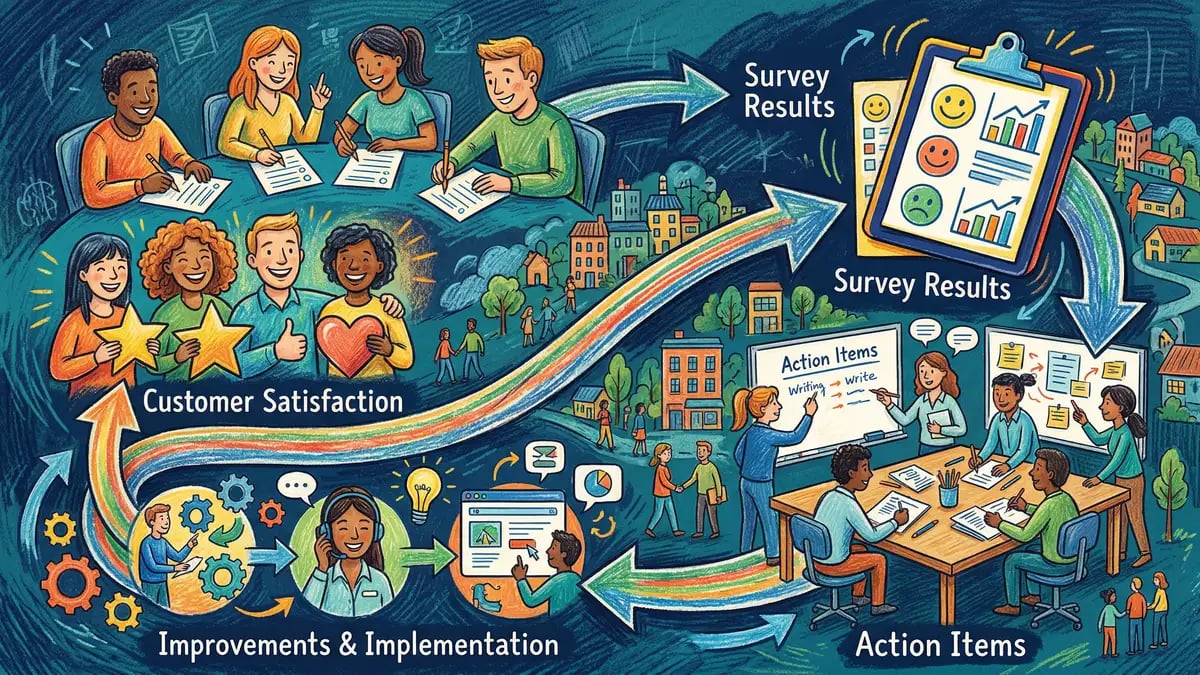
Here's where most companies fail: they run surveys but never act on them. The data sits in a report, gets shared in a quarterly business review, and then gathers digital dust. Meanwhile, detractors continue churning, promoters stay passive, and the opportunity for leverage is squandered.
The Cost of Getting It Wrong
Common mistake: Running an NPS survey once a year, looking at the aggregate score, and calling it a day.
The reality: Detractors (NPS 0–6) continue to have bad experiences and are likely churning or bad-mouthing your brand. Promoters feel unappreciated and never get asked to refer or provide case studies. Passives drift away because there's no reason to stay. You've invested in gathering data but harvested no value.
Closing the loop means automating response based on NPS segment:
For Detractors (NPS 0–6): Route to your customer success manager within 24 hours. Create an automated task in HubSpot assigning a phone call or face-to-face meeting (if possible). Document their concerns in the contact timeline. Ask: "What would it take to turn your experience around?" Then actually deliver on the answer. Some detractors are salvageable; others have already checked out mentally. Either way, you've shown up and given yourself a shot at turning them around.
For Passives (NPS 7–8): These are your fence-sitters. They're not unhappy enough to leave, but not happy enough to evangelize. Segment them by tenure, product usage, and industry. Run targeted engagement campaigns: a success webinar, a new feature briefing, a tier-upgrade offer. Move them from passive to promoter by showing they're not just a number.
For Promoters (NPS 9–10): These are your growth engine. Send them a thank-you email (personalised, not automated boilerplate). Ask them to provide a case study, speak on a podcast, or participate in a customer reference programme. Invite them to your product roadmap or user advisory board. Build a formal referral programme: for each qualified inbound they send, offer a service credit, discount extension, or added user licence. A single promoter can refer two to five customers per year. Even a 10% closure rate means your promoters are nearly as valuable as your sales team, at a fraction of the cost.
In HubSpot, you can automate all of this with workflows. Create three workflows: one triggered on NPS ≤ 6 (detractor task), one on 7–8 (passive email campaign), and one on 9–10 (promoter CRM update + referral email). These workflows run overnight with zero ongoing effort and compound over time.
Measuring the Impact: From NPS to Revenue
The most convincing NPS story isn't the score itself—it's the revenue impact. Here's how to measure it:
Retention Rate by NPS Segment
Track annual churn rate for promoters, passives, and detractors separately. Promoters should have 10–15% churn; detractors often exceed 30–40%. This is the clearest leading indicator of NPS impact.
Lifetime Value (LTV) Differential
Promoters have 6–14x higher lifetime value than detractors. Calculate average LTV for each segment. A customer with LTV of £150k (promoter) versus £25k (detractor) is a 6x multiple—entirely due to NPS.
Upsell and Expansion Revenue
Promoters buy more, upgrade faster, and adopt new products first. Track ARR expansion separately for NPS segments. You'll likely see 3–5x faster expansion in promoter accounts.
Referral and Word-of-Mouth Pipeline
Tag all inbound leads by source. A campaign attributed to "promoter referral" tracks the sales value driven by your highest-NPS customers. Most enterprise deals include a referral touchpoint; quantifying this is powerful.
Once you have these numbers, build a simple model: if your average customer is worth £100k LTV over five years, and a 10-point NPS increase moves 20% of customers from passive to promoter status, and promoters have 2x LTV, you're adding £40k per customer to your revenue base. Scale that to 100 customers, and a single NPS improvement pays for your entire feedback programme 100 times over.
This is why NPS isn't a customer success metric—it's a growth strategy.
Building a Systematic Customer Delight Programme
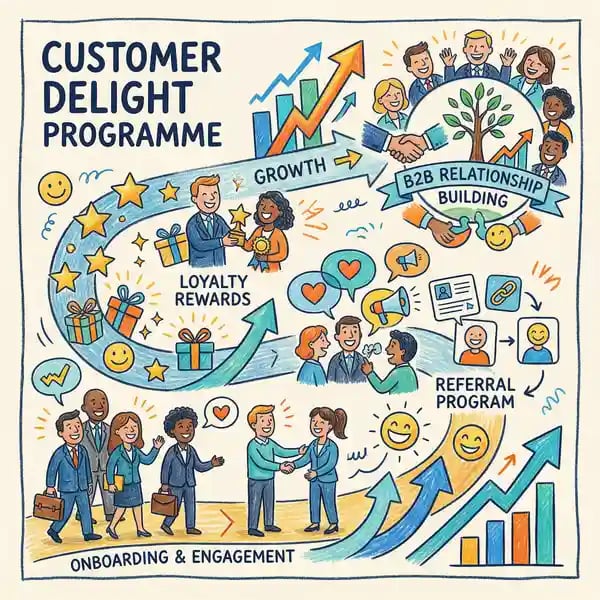
Running surveys is a tactic. Building a delight programme is a strategy. Here's how to structure it for scale:
1. Assign Ownership. Choose a leader—usually your Chief Customer Officer, VP of Customer Success, or Head of Revenue Operations. Give them a clear mandate: improve NPS by 5 points in the next 12 months. Tie compensation to this goal (10–20% of bonus). Clarity of ownership ensures accountability; ambiguity ensures failure.
2. Set Baseline and Targets. Run your first NPS survey now, even if it's imperfect. Document the overall score, segment by product, by region, by customer cohort. Your baseline isn't competitive; it's directional. Then set targets: if you're at 35, aim for 45 in 12 months. Communicate these targets to the entire customer-facing team.
3. Monthly Feedback Syncs. Create a recurring (monthly) "Voice of Customer" meeting. Invite customer success, product, support, and sales leaders. Share: (a) top themes from open-ended feedback, (b) high-churn accounts and their stated reasons, (c) promoter wins (what are they praising?). Use this to feed product roadmap priorities and customer success playbooks.
4. Segmented Playbooks. Don't apply the same playbook to all accounts. A £5k ARR startup customer needs different support than a £500k enterprise. Build tiered playbooks: VIP/Strategic (monthly exec check-ins), Mid-Market (quarterly business reviews), SMB (self-serve + email support). Align survey cadence and follow-up intensity to segment.
5. Training and Incentives. Your frontline (support, success, sales) are the ones delivering delight (or not). Train them on the NPS framework and why it matters. Incentivise support teams on NPS improvement, not just ticket volume. A team optimising for CSAT/NPS will take the time to actually resolve problems instead of closing tickets.
6. Public Transparency. Post your NPS and targets in Slack, on your intranet, in all-hands. When the whole company sees that NPS is a priority, behaviour changes. Engineering stops shipping features without testing with customers. Sales stops over-promising. Support stops rubber-stamping canned responses.
The Bottom Line
A customer delight programme is not a 90-day initiative. It's a permanent operating discipline. It requires leadership alignment, cross-functional execution, and relentless follow-through. But the payoff—higher retention, faster growth, stronger brand—is worth the effort multiples over.
Frequently Asked Questions
What response rate should I expect from NPS surveys?
Email-based NPS surveys typically see 15–40% response rates, depending on audience size, timing, and whether the survey is triggered by an event. Event-triggered surveys (post-support, post-onboarding) see higher rates (30–45%) because the experience is fresh. Large, cold batch sends see lower rates (10–20%). To improve response rates, personalise the sender (not noreply@), keep the survey to a single question, and send via email or in-app during high-engagement windows.
How often should I run NPS surveys?
It depends on your goals. For overall health tracking, run a broad NPS survey quarterly or semi-annually to spot trends. For operational feedback (post-support, post-feature), run transactional surveys continuously via HubSpot workflows. Avoid survey fatigue: exempt customers who've been surveyed in the last 90 days, and segment your audience so no single account gets more than two or three surveys per year.
What's the difference between sending surveys in HubSpot versus a third-party tool like Qualtrics or Typeform?
HubSpot's native surveys are simpler, faster to set up, and automatically log responses into contact records. You can trigger automations directly based on responses—no manual data syncing. Third-party tools offer more flexibility (complex conditional logic, branching questions, advanced analytics) but require an additional subscription and manual workflow integration. For most B2B SaaS companies, HubSpot's surveys are sufficient and more efficient.
How do I handle detractors who've given up on us?
Some detractors have already churned mentally. Your first move is to understand: (1) Is this a fixable problem (poor onboarding, missing feature, bad support experience)? If yes, offer to make it right and schedule a conversation. (2) Is this a fundamental misalignment (wrong product, wrong use case, wrong cultural fit)? If yes, gracefully transition them off. Not every customer is a fit, and keeping a detractor costs more in churn risk and team morale than acquiring a new promoter. A 10% detractor base is healthy; 30%+ is a red flag that your product or go-to-market needs rethinking.
How do I convince my leadership team that NPS investment is worth the effort?
Show them the maths. A 5-point NPS improvement moves 10–15% of customers from passive to promoter status. Promoters have 2–3x higher LTV and 50% lower churn. If your annual revenue is £10M and average customer LTV is £500k, a 5-point NPS improvement is worth £500k–£1M in incremental lifetime value. The cost? A customer success manager and HubSpot (already budgeted). The ROI is 10–20x. Frame it as a growth lever, not a cost centre, and leadership will fund it immediately.
Ready to build a customer delight programme? Our HubSpot services team can help you set up surveys, design customer success workflows, and measure the impact on retention and revenue.
Explore HubSpot SetupReady to Turn Customer Feedback into Growth?
Customer delight is the fastest way to compress your sales cycle and accelerate revenue growth. By systematically capturing, measuring, and acting on feedback, you transform customers into promoters, churn becomes retention, and retention becomes predictable, repeatable growth.
The technology is there. HubSpot Service Hub includes everything you need. The question is whether you're ready to commit to the discipline and see it through. If you are, the payoff is extraordinary.
Is your customer feedback programme leaving revenue on the table?
Whitehat works with B2B SaaS and services companies to design, implement, and measure customer delight programmes that drive retention, reduce churn, and accelerate revenue growth. We'll help you set up HubSpot surveys, automate follow-ups, and build the playbooks your team needs to turn feedback into action.
Clwyd Probert
Founder, Whitehat
Clwyd has spent the last 12 years helping B2B SaaS and agency teams build revenue-focused customer success programmes, from survey design through lifetime value optimisation. He works with companies across fintech, martech, and enterprise software to unlock retention-driven growth.
Sources: Bain & Company Net Promoter Research 2024, Retently NPS Benchmarks Q1 2025, HubSpot Service Hub Knowledge Base, Customer Retention Rate Analysis UK B2B 2025