
WordPress Security Issues: The Complete UK Business Guide (2026)
WordPress security vulnerabilities reached 7,966 new flaws in 2024, a 34% increase from 2023, with 96% originating from third-party plugins rather than WordPress core. Wordfence blocked 55 billion password attack attempts in 2024 alone, averaging 65 million brute force attacks daily against WordPress installations worldwide. For UK businesses, a comprehensive understanding of security risks is essential given the ICO's record £14 million GDPR enforcement action in 2025 and mandatory breach reporting within 72 hours.
WordPress powers 43.4% of all websites globally and 64.3% of all sites using a CMS, with over 1,084,000 WordPress installations across the UK. That ubiquity makes WordPress the single largest target for cybercriminals. The threat environment has shifted dramatically: zero-day vulnerabilities hit record highs in 2025, supply chain attacks now compromise legitimate plugins affecting hundreds of thousands of sites, and 43% of UK businesses experienced a cyber breach or attack in the past 12 months according to the UK government Cyber Security Breaches Survey 2025.
Key Takeaway: WordPress itself is secure, but the plugin ecosystem introduces significant risk. A single unpatched plugin with 250,000 active installations can expose hundreds of thousands of sites to SQL injection, data theft, and malware injection within hours of public disclosure.
The Scale of WordPress Vulnerabilities in 2025-2026
The magnitude of the WordPress security challenge became unmistakable in 2024-2025. Patchstack's comprehensive State of WordPress Security 2025 documented 7,966 new vulnerabilities discovered across the WordPress ecosystem in 2024 alone—equivalent to 22 new security flaws every single day. This represents a 34% increase from 2023's 5,943 vulnerabilities, while the cumulative WPScan vulnerability database now tracks 64,782 known issues across all versions and plugins.
Wordfence's independent analysis confirmed this accelerating trend, reporting that vulnerabilities disclosed in 2024 increased by 68% year-on-year compared to 2023, with 81% rated as medium severity or higher on the CVSS vulnerability scale. The practical impact on site owners is severe: Wordfence blocked 55 billion password attack attempts against WordPress sites during 2024, averaging 65 million brute force attacks daily.
For UK businesses specifically, the 2025 UK government Cyber Security Breaches Survey found that 43% of British businesses experienced a cyber breach or attack in the previous 12 months, affecting approximately 612,000 organisations. The average cost per incident was £3,550 when excluding nil-cost incidents, rising to £5,900 for cyber-facilitated fraud. These figures demonstrate why WordPress security cannot remain an IT afterthought—it is now a board-level business priority.
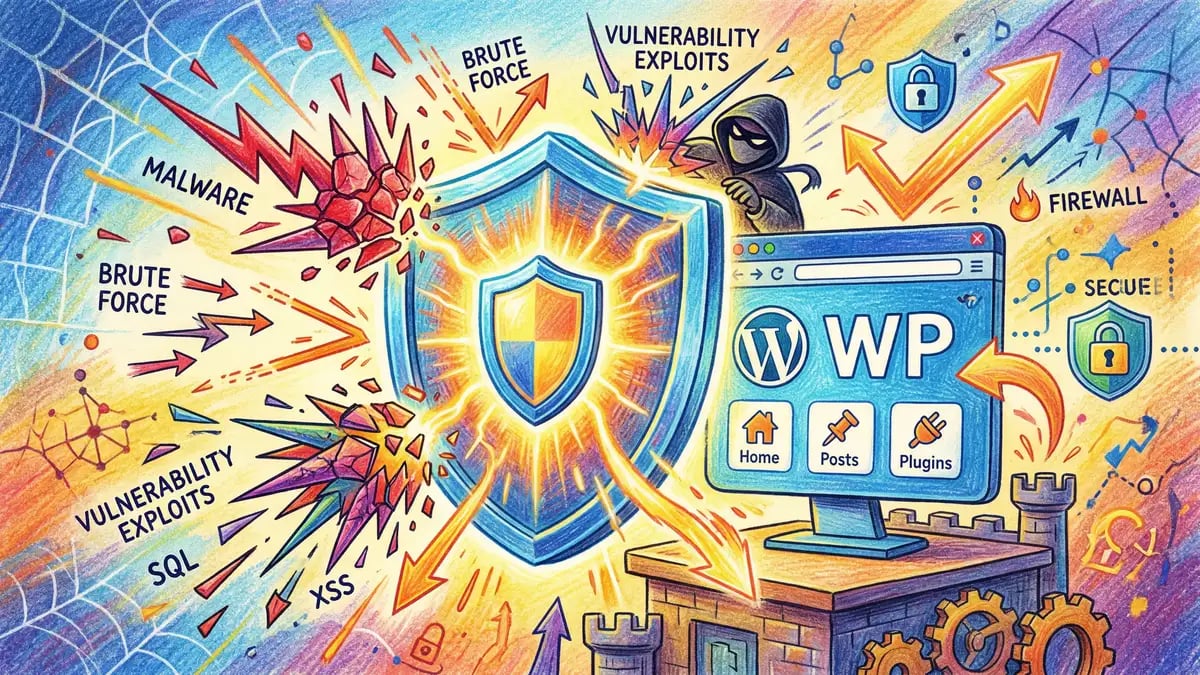
Security Risk Alert: 35% of known WordPress vulnerabilities remain unpatched as of 2025, and 43% of discovered vulnerabilities require no authentication to exploit. This means attackers can compromise sites without login credentials, making timely patching your most critical defence.
Where WordPress Vulnerabilities Actually Originate
A critical point of confusion: WordPress core itself is remarkably secure. Only seven vulnerabilities were discovered in WordPress core during 2024, none of which posed widespread risk to installations. The real danger lies entirely in the plugin and theme ecosystem.
Plugins account for 96% of all WordPress vulnerabilities, while themes represent the remaining 4%. The most common vulnerability types are:
- Cross-site scripting (XSS): 47.7% of vulnerabilities—injection of malicious scripts into trusted websites that steal user data or hijack sessions
- Cross-site request forgery (CSRF): 13.4%—forcing users to unknowingly perform unintended actions
- Broken access control: 13.4%—unauthorised access to restricted functionality or data
- SQL injection: 8.1%—direct database compromise enabling data theft
- Remote code execution: 6.4%—complete site takeover and malware installation
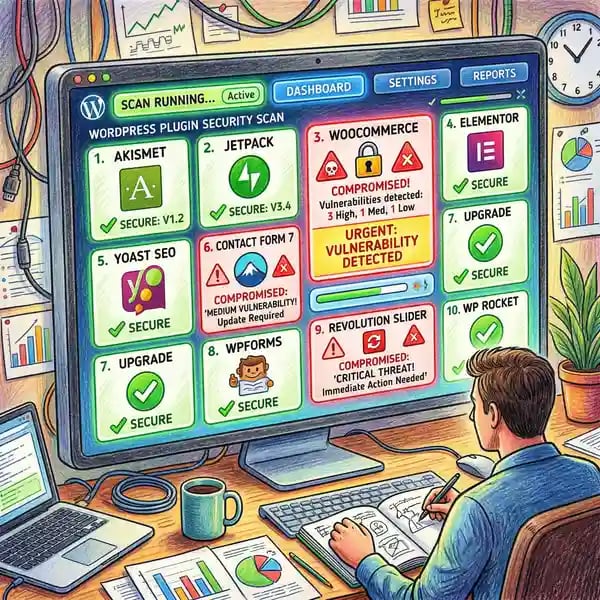
Supply chain attacks represent an emerging and particularly dangerous threat vector. In June 2024, attackers compromised WordPress.org developer accounts and injected malicious code into legitimate, widely-trusted plugins including Social Warfare (used on over 116,000 sites) and Contact Form 7 Multi-Step Addon. The compromised code created rogue administrator accounts and injected SEO spam, affecting hundreds of thousands of websites before detection.
Recent 2025-2026 incidents illustrate the severity. The Elementor Ally plugin (used on 250,000+ sites) was discovered to contain a critical SQL injection vulnerability (CVE-2026-2413) allowing unauthenticated attackers to steal customer data. Yet only 36-38% of affected sites updated to the patched version, leaving over 150,000 installations vulnerable months after the fix was released. Similarly, critical vulnerabilities in LiteSpeed Cache (6+ million active installations) enabled complete site takeover and triggered the largest WordPress bug bounty ever at $16,400.
Plugin removal from the WordPress repository accelerated in 2024, with 1,614 plugins removed for unresolved security issues, abandonment, or copyright violations. This demonstrates both the scale of the problem and the repository's efforts to protect users.
7,966
New vulnerabilities in 2024
96%
From plugins, not core
55B
Password attacks blocked
65M
Daily brute force attempts
Critical WordPress Vulnerabilities Affecting UK Businesses
Several vulnerability patterns pose disproportionate risk to UK businesses:
1. Elementor Ally Plugin SQLi (CVE-2026-2413): Affects 250,000+ active installations. Unauthenticated SQL injection allows attackers to extract customer data, payment information, and user credentials without any login. The vulnerability was disclosed in March 2026 and patched in version 4.1.0, yet only 36-38% of sites updated within weeks. This represents a significant GDPR exposure for any UK business storing personal data.
2. LiteSpeed Cache Remote Code Execution: Affects 6+ million sites. Critical RCE vulnerability enabled complete site takeover, malware installation, and data exfiltration. The bug bounty of $16,400 reflected the severity.
3. WordPress Core XSS and Auth Bypass (WordPress 6.9.2): While WordPress core has fewer vulnerabilities than plugins, critical issues like cross-site scripting and authentication bypass can affect all unpatched installations. Version 6.9.2 patched 10 significant issues in core.
4. KongTuke Malware via Compromised Plugins (2025-2026): Attackers hijacked 250+ WordPress sites across 12 countries (including the UK) to distribute modeloRAT malware via fake CAPTCHA prompts. Users were redirected to fake security warnings requesting PowerShell script execution, leading to persistent malware installation and credential theft.
WordPress Security Improvements in 2025-2026
WordPress core development has delivered meaningful security enhancements, though they cannot address the plugin ecosystem alone:
WordPress 6.8 "Cecil" (April 2025): Introduced bcrypt password hashing, addressing a critical 13-year security gap. The upgrade migrated from the outdated MD5-based phpass algorithm to bcrypt with SHA-384 pre-hashing, dramatically increasing the computational cost of cracking password hashes. The migration was automatic with no user action required.
WordPress 6.7 "Rollins" (November 2024): Enhanced XSS and SQL injection prevention across the platform and launched the Plugin Check Tool, enabling plugin developers to conduct automated security audits before submission to the WordPress repository.
WordPress 6.6 "Dorsey" (July 2024): Added automatic plugin updates with rollback capability, allowing sites to automatically revert to a previous version if a plugin update introduces critical errors. This feature significantly reduces the downtime risk associated with problematic updates.
These improvements strengthen core WordPress. However, with 96% of vulnerabilities originating from plugins, core security improvements alone cannot protect installations relying on extensive plugin stacks. A comprehensive website security audit must assess both core configuration and every active plugin for known vulnerabilities.
How to Secure a WordPress Website: Complete Checklist
Securing WordPress requires a layered approach addressing the most common attack vectors. With 65 million brute force attacks daily and supply chain compromises averaging $4.46 million in detection and remediation costs, these practices are essential:
- Update Everything Immediately (48-hour window): Apply WordPress core, plugin, and theme updates within 48 hours of release. Enable auto-updates with rollback (WordPress 6.6+) for non-critical plugins. With 35% of known vulnerabilities remaining unpatched, timely updates are your single most effective defence against exploitation.
- Enforce Strong Authentication Across All Accounts: Use unique passwords of 16+ characters and enable two-factor authentication for all administrator and editor accounts. The ICO has explicitly stated that lacking multi-factor authentication can result in substantial fines, as demonstrated by a £3.07 million penalty against Advanced Computer Software Group in 2025.
- Deploy a Web Application Firewall (WAF): A WAF blocks common exploit patterns including XSS, SQL injection, and zero-day attacks before they reach your site. Combine with a CDN for DDoS protection and improved page load performance. Cloudflare, Sucuri, and AWS WAF are widely used by UK businesses.
- Implement Verified Daily Backups with Off-Server Storage: Store backups off-server (cloud storage, managed backup service) with tested restore procedures. Test your recovery process quarterly to ensure backups are functional when needed. This is your last line of defence against ransomware and catastrophic data loss.
- Audit Plugin Usage Quarterly: Remove inactive plugins immediately—they still pose security risk even when deactivated. Verify developer reputation and check Patchstack or WPScan databases for known vulnerabilities in your active plugin stack. Remember that 1,614 plugins were removed from the repository in 2024 for unresolved issues.
- Restrict File Permissions Properly: Set directories to 755 and individual files to 644. Disable file editing from the WordPress dashboard by adding
define('DISALLOW_FILE_EDIT', true);to wp-config.php. This prevents attackers from modifying core files directly. - Monitor for Suspicious Activity with Activity Logging: Install activity logging (e.g., WP Activity Log, Wordfence) to track login attempts, failed authentications, file changes, and user behaviour. With breach detection averaging 241 days, automated monitoring is critical for early identification and faster incident response.
- Implement HTTPS/SSL Encryption: Ensure all traffic is encrypted with a valid SSL certificate. Most modern hosting provides free SSL via Let's Encrypt. Enforcing HTTPS prevents man-in-the-middle attacks and is now a basic SEO requirement.
- Hide wp-login.php and Limit Login Attempts: Use a security plugin to rename wp-login.php to a non-standard URL and limit login attempts to 5 failures per 15 minutes, then lock the account temporarily. This dramatically reduces brute force attack success rates.
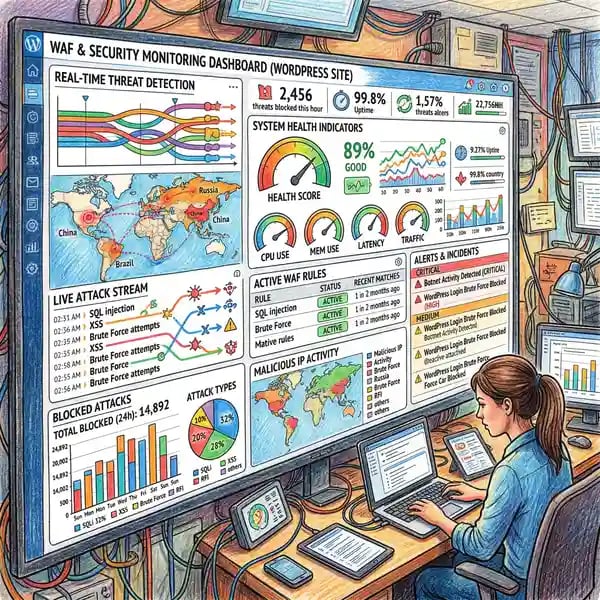
- Regular Security Scanning and Vulnerability Assessment: Run automated scans weekly via Wordfence Premium, Sucuri, or Patchstack to identify vulnerabilities in your plugin stack, malware infections, and suspicious file modifications.

Whitehat SEO's website security audit covers all ten layers, identifying vulnerabilities and delivering a prioritised remediation plan tailored to UK regulatory obligations and your business's risk tolerance.
Need a Tailored Security Strategy?
Get a free WordPress security assessment and a prioritised roadmap for your UK business.
Learn MoreUK Regulations and WordPress Security Compliance
UK businesses running WordPress websites face specific regulatory obligations that make security failures expensive and potentially criminal:
UK GDPR and Data Protection Act 2018: UK businesses must comply with UK GDPR, enforced by the Information Commissioner's Office (ICO) with fines up to £17.5 million or 4% of annual worldwide turnover—whichever is higher. The ICO significantly escalated enforcement in 2025, with average penalties rising from £150,000 to over £2.8 million.
Recent ICO Enforcement Actions: Capita plc was fined £14 million in October 2025 after a breach affecting 6.6 million individuals, making it the largest UK GDPR cybersecurity penalty on record. Advanced Computer Software Group received £3.07 million in March 2025 specifically for lacking multi-factor authentication, demonstrating that preventable security failures carry substantial consequences.
Breach Reporting Obligations: Any breach involving personal data must be reported to the ICO within 72 hours if it poses a risk to individuals. Affected individuals must also be notified without undue delay. The cost of breach notification, forensics, credit monitoring, and regulatory fines quickly exceeds £1 million for medium-sized breaches.
Cyber Essentials Certification (2026 Update): The NCSC's Cyber Essentials scheme provides a baseline security standard. Version 2.0 (effective 2026) mandates that high-risk and critical security updates be applied within 14 days. Only 3% of UK businesses currently hold Cyber Essentials certification, yet certified organisations are 92% less likely to make a cyber insurance claim.
EU Cyber Resilience Act (Effective September 2026): Although the UK left the EU, this regulation will indirectly affect UK WordPress ecosystem. The act requires plugin and theme developers to establish formal vulnerability disclosure and notification processes. Patchstack CEO Oliver Sild described this as a potential turning point for open-source security, similar to the impact GDPR had on data protection.
Breach Risk by Business Size: The UK Cyber Security Breaches Survey 2025 found that breach risk scales dramatically with organisation size:
| Business Size | Breach Rate | Average Cost |
|---|---|---|
| Micro (1-9 employees) | 41% | £2,100 |
| Small (10-49 employees) | 50% | £3,550 |
| Medium (50-249 employees) | 67% | £5,900 |
| Large (250+ employees) | 74% | £7,200 |
Yet awareness of government guidance remains alarmingly low. Only 12% of UK businesses are aware of the NCSC's cybersecurity guidance, and just 3% hold Cyber Essentials certification. Only 19% of UK businesses provided staff cyber training in the past 12 months, and merely 14% review immediate supplier risks. This compliance gap represents both risk and opportunity: organisations that prioritise WordPress security gain competitive advantage in regulatory maturity.
WordPress vs. Managed CMS: The Security Comparison
For UK businesses evaluating their CMS options, the security landscape differs significantly between self-hosted WordPress and managed platforms like HubSpot CMS:
| Security Feature | HubSpot CMS | WordPress |
|---|---|---|
| Automatic Security Updates | Fully managed by HubSpot | Manual or plugin-based |
| Web Application Firewall | Built-in, all tiers | Additional cost (£8-40/month) |
| CDN and DDoS Protection | Included, all tiers | Additional cost (£16-40/month) |
| SSL/TLS Encryption | Automatic, always enabled | Free (Let's Encrypt) or paid |
| Compliance Certifications | SOC 2 Type 2, ISO 27001 | Depends on hosting + plugins |
| Uptime SLA | 99.95% guaranteed | Varies by hosting provider |
| Plugin/Theme Management | No plugins; built-in functionality | Manual plugin security audits |
| Automatic Backups and Recovery | Included, tested recovery | Additional cost (£8-50/month) |
The cost comparison is revealing. HubSpot Content Hub Professional costs £400 per month with all security included. Achieving comparable WordPress security requires:
- Quality managed hosting: £25-80/month
- Security plugins (Wordfence, Sucuri): £8-40/month
- CDN and WAF service: £16-40/month
- Backup and recovery service: £8-50/month
- Maintenance and monitoring: £60-400/month
- Plugin and theme licenses: £0-100/month
Total WordPress security stack: £117 to £710 per month, or £1,404 to £8,520 annually—plus 6.8 to 24.5 hours of annual maintenance time spent on updates, vulnerability scanning, backup verification, and incident response.
For context, the UK Cyber Security Breaches Survey 2025 found that only 19% of UK businesses provided staff cyber training in the past year, and just 14% review immediate supplier risks. Many WordPress-dependent organisations lack the in-house expertise to maintain the security posture their sites require.
Neither platform is universally superior. WordPress remains the stronger choice when deep customisation is essential, a dedicated IT team is available, or full data sovereignty is required. HubSpot CMS is typically the better option for marketing teams without in-house security expertise, organisations prioritising compliance certifications, or businesses needing integrated CRM and marketing automation. Whitehat SEO's HubSpot website design service helps UK businesses migrate to a managed CMS with enterprise-grade security built in from day one.
Frequently Asked Questions About WordPress Security
Is WordPress secure enough for UK businesses handling customer data?
WordPress core is secure, but the plugin ecosystem introduces significant risk. With 7,966 new vulnerabilities discovered in 2024 and 96% originating from plugins, UK businesses using WordPress must invest in ongoing security maintenance, regular audits, and GDPR-compliant data protection measures. If you process personal data and lack in-house security expertise, a managed CMS may better serve your compliance obligations.
How much does WordPress security cost per year in the UK?
Properly securing a WordPress website costs between £117 and £710 per month (£1,404 to £8,520 annually), covering managed hosting, security plugins, CDN services, backup solutions, and ongoing maintenance. This excludes the 6.8 to 24.5 hours annually spent on updates, scanning, and incident response. HubSpot CMS security is included at £400/month with guaranteed uptime and compliance certifications.
What is the most critical WordPress vulnerability type?
Cross-site scripting (XSS) accounts for 47.7% of all WordPress vulnerabilities. XSS attacks inject malicious scripts into trusted websites, potentially stealing user session cookies, credentials, or payment information. Keeping plugins updated and implementing a Content Security Policy (CSP) header are the most effective defences.
Can you eliminate security risks by switching to HubSpot CMS?
No CMS eliminates all security risks, but HubSpot CMS significantly reduces the attack surface by handling updates, WAF protection, SSL encryption, and monitoring automatically. HubSpot holds SOC 2 Type 2 and ISO 27001 certifications and guarantees 99.95% uptime. The primary remaining risks are phishing and social engineering targeting user accounts—which exist on any platform.
What happens if my WordPress site is breached?
UK businesses must report any breach involving personal data to the ICO within 72 hours if it poses a risk to individuals. Breach notification costs average £3,550 per incident, rising to £5,900 for cyber-facilitated fraud. ICO fines range from £150,000 to £17.5 million or 4% of global turnover. Response steps include: restore from clean backup, change all credentials, run malware scans, review access logs, notify affected individuals, and report to the ICO.
Which WordPress plugins are safest to use?
Safety depends on developer reputation, update frequency, and community reviews. Preferred plugins include: Wordfence (security), UpdraftPlus (backups), Yoast SEO (SEO), Elementor (page builder), and WooCommerce (ecommerce). Always check: (1) developer history and ratings on WordPress.org, (2) update frequency (ideally monthly or more), (3) active installation count (100,000+ suggests wider vetting), and (4) the Patchstack or WPScan databases for known vulnerabilities.
How often should I audit my WordPress site for security?
Run automated security scans weekly via Wordfence, Sucuri, or Patchstack. Conduct manual plugin audits quarterly—check for inactive plugins, verify developer status, and cross-reference against vulnerability databases. Perform full penetration testing annually or when making significant changes. Monitor activity logs continuously for suspicious login attempts or file modifications.
Protect Your WordPress Website Today
WordPress security in 2026 demands proactive management, not reactive patching. With 22 new vulnerabilities appearing daily, UK regulators imposing record fines for preventable breaches, and 43% of British businesses experiencing cyber incidents in the past year, the cost of neglecting website security far exceeds the investment required to address it.
The starting point is understanding your current exposure. Whether you need to harden your existing WordPress installation, evaluate a move to a managed CMS, or ensure your website meets GDPR and Cyber Essentials requirements, Whitehat SEO's website security audit provides a clear, prioritised roadmap. As a HubSpot Diamond Partner with deep expertise in both WordPress and HubSpot CMS, Whitehat SEO helps UK businesses make informed platform decisions based on security requirements, compliance obligations, and growth objectives.
Get Your Free WordPress Security Audit
Discover vulnerabilities in your WordPress site, identify unpatched plugins, and receive a prioritised remediation plan—no obligation.
Start Your AuditAuthor
Clwyd Probert
Founder, Whitehat SEO
Clwyd is Founder and Head of Strategy at Whitehat SEO, a HubSpot Diamond Partner specialising in technical SEO, website security, and CMS selection for UK businesses. With 12+ years of digital marketing and security experience, Clwyd advises organisations on WordPress security hardening, GDPR compliance, and migrations to managed CMS platforms. When not auditing websites, Clwyd writes about SEO strategy and security compliance for enterprise teams.
Sources and Further Reading
- Patchstack: State of WordPress Security 2025 (March 2025)
- UK Government: Cyber Security Breaches Survey 2025 (April 2025)
- ICO: Enforcement Actions (2025)
- NCSC: Small Business Cybersecurity Guide (Current)
- The Register: Crooks Compromise WordPress Sites, Spread Infostealers (March 2026)
- TechRadar: WordPress Plugin Security Flaw Impacts 250,000+ Sites (March 2026)
- HubSpot: Security Program Overview (Current)